Braze
Chord x Braze Integration
The Chord’s Customer Data Platform (CDP) integrates with Braze to automatically forward ecommerce event data, such as purchases, user behavior, and identity updates, directly into Braze. This enables marketers to trigger personalized campaigns based on real-time shopper actions without manual data pipelines.
This integration is maintained by Chord.
About this integration
Chord's CDP captures and standardizes customer events from your ecommerce storefront. By connecting Chord to Braze, marketers gain access to rich behavioral data (such as completed orders, product interactions, and customer identity updates) that can power personalized messaging at scale. Chord acts as the data layer that feeds Braze with clean, structured ecommerce events so your campaigns reflect what customers are actually doing.
Use cases
- Post-purchase messaging: Trigger order confirmation flows, upsell sequences, or review requests in Braze when a customer completes an order in Chord.
- Customer attribute sync: Keep Braze user profiles updated with the latest customer data from Chord to improve segmentation accuracy.
- Behavioral retargeting: Use Chord event data to power win-back or re-engagement campaigns in Braze for customers who haven't converted recently.
Prerequisites
Before you start, you need the following:
Prerequisite | Description |
|---|---|
A Chord account | A Chord account is required to take advantage of this partnership. |
A Braze REST API key | A Braze REST API key with the appropriate permissions.
Note these are two distinct API keys. |
A Braze REST endpoint | Chord sends data to the following Braze endpoints: /users/track and /users/identify. The base URL depends on your Braze cluster and follows the format https://rest.iad-0#.braze.com. For example: https://rest.iad-01.braze.com/users/track and https://rest.iad-01.braze.com/users/identify. |
Integrate Chord with Braze
Chord supports two connection modes: Cloud Mode and Device Mode. Follow the steps for your preferred mode.
Cloud Mode
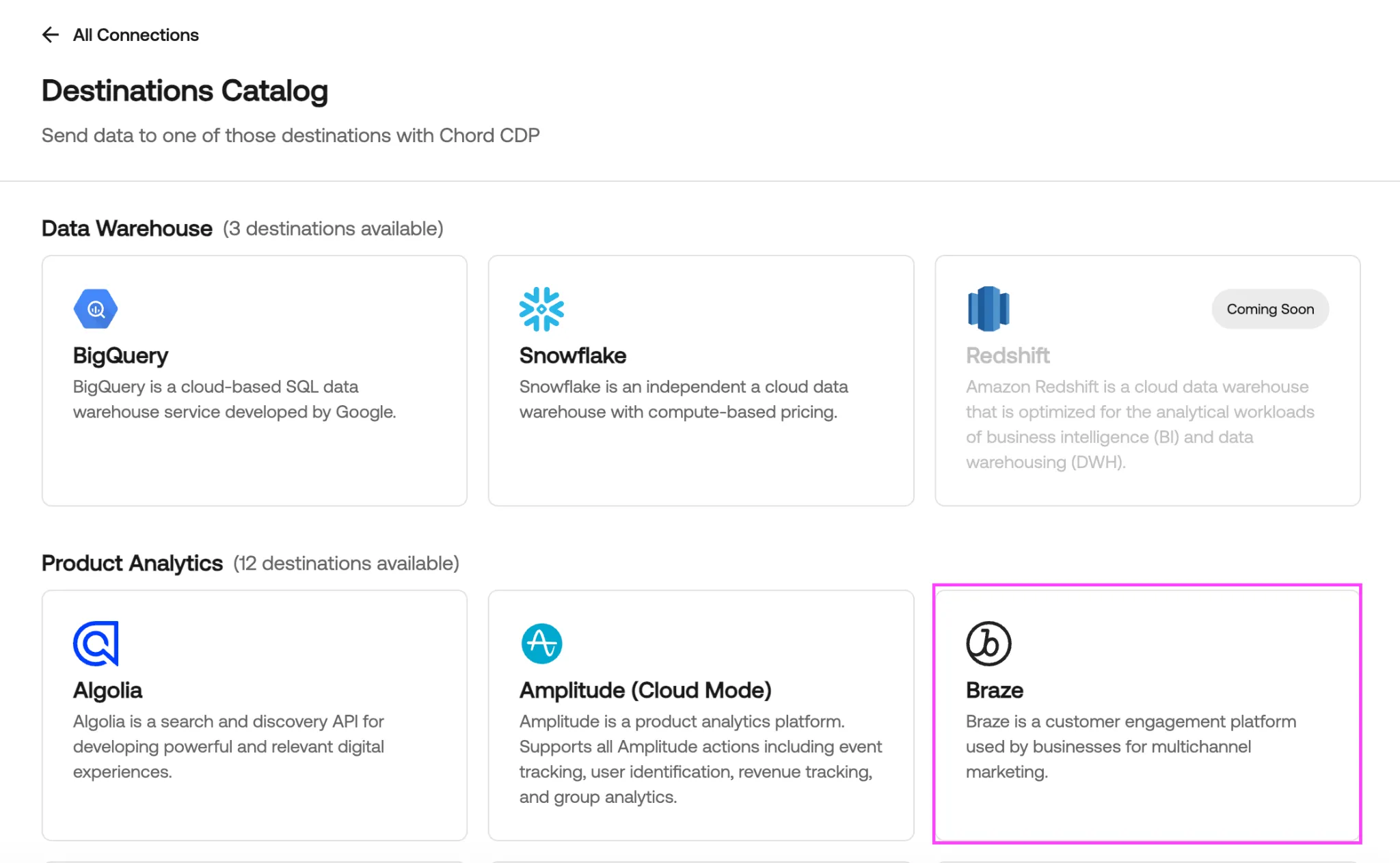
Step 1: Navigate to Destinations in the Chord CDP
- Log into the Chord Data Platform.
- Navigate to the CDP.
- Click the Add button next to Destinations.
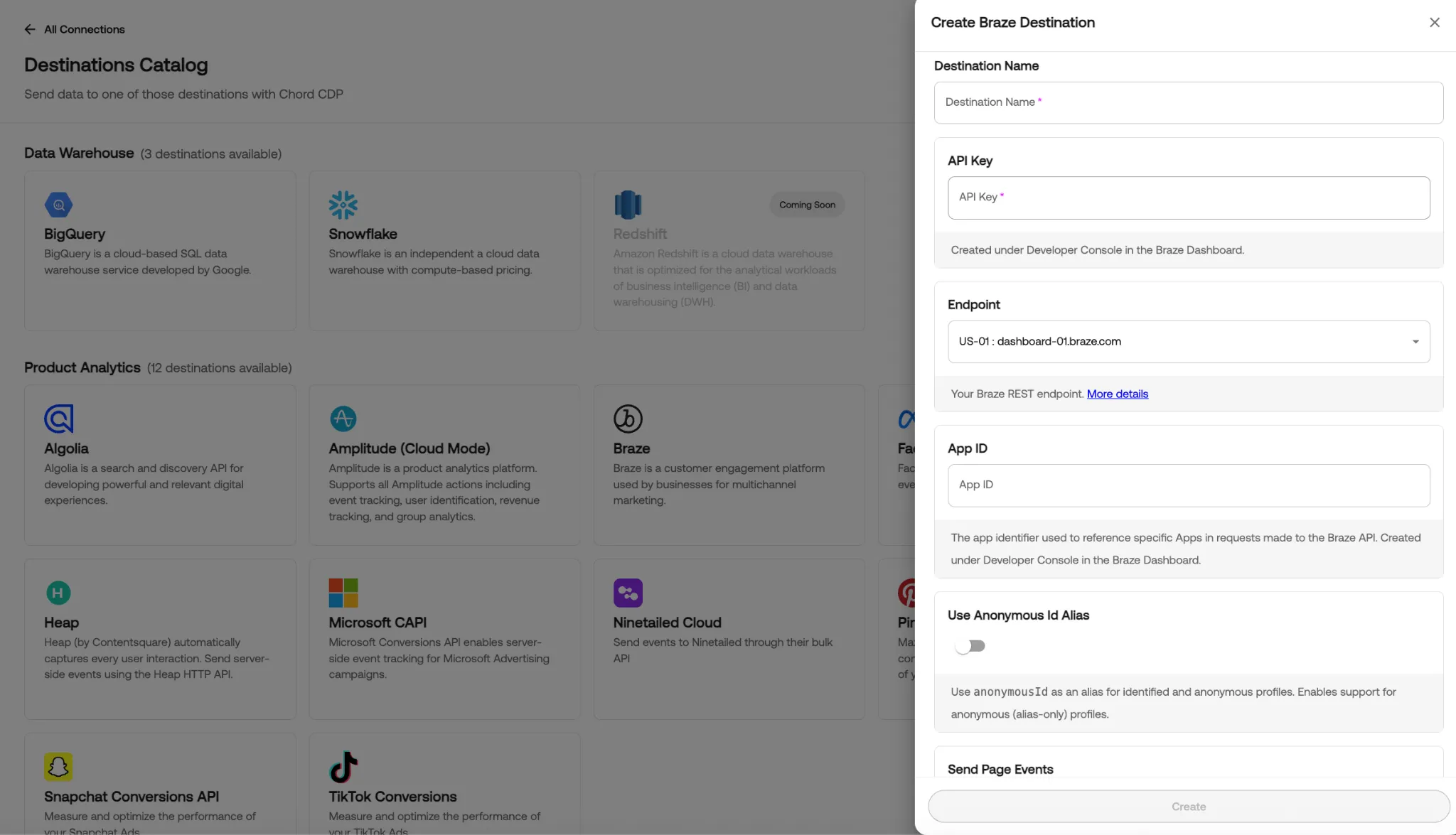
Step 2: Connect Braze (Cloud Mode) as a destination
- Select Braze from the destination catalog.
- Enter a destination name and your Braze API key (found under Developer Console in the Braze dashboard).
Click Create to connect.
Device Mode
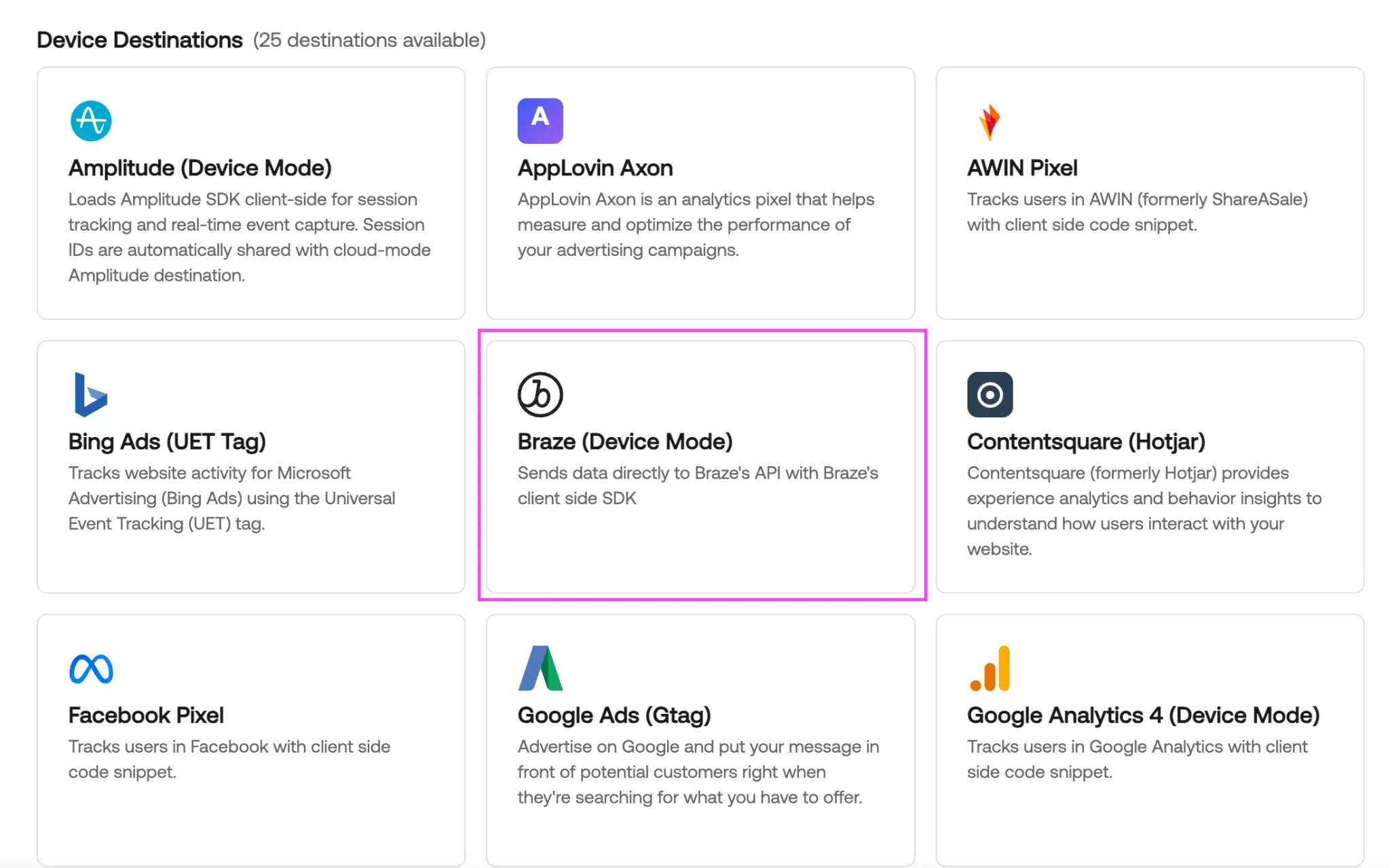
Step 1: Navigate to Destinations in the Chord CDP
- Log into the Chord Data Platform.
- Navigate to the CDP.
- Click the Add button next to Destinations.
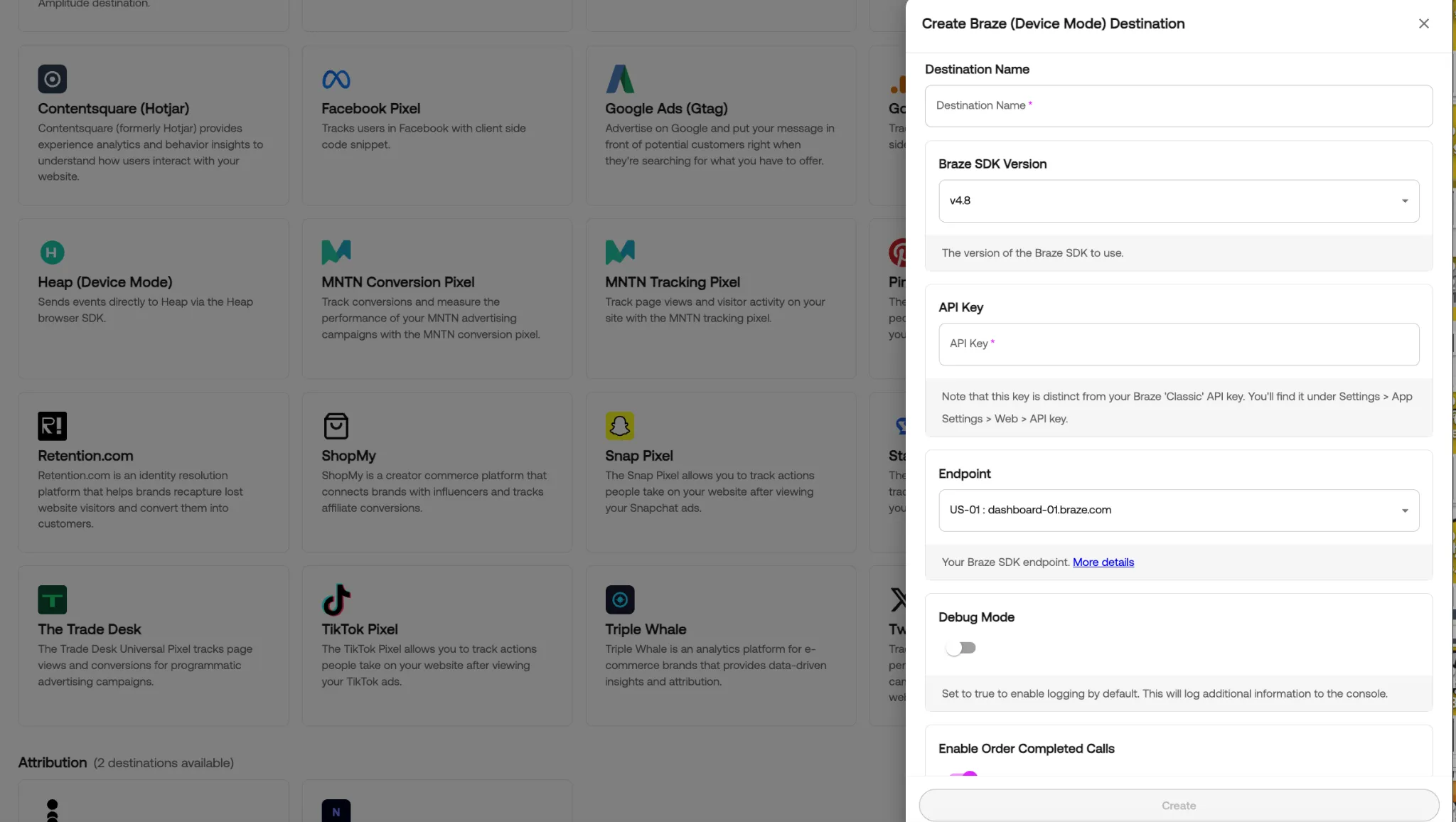
Step 2: Connect Braze (Device Mode) as a destination
- Select Braze (Device Mode) from the destination catalog.
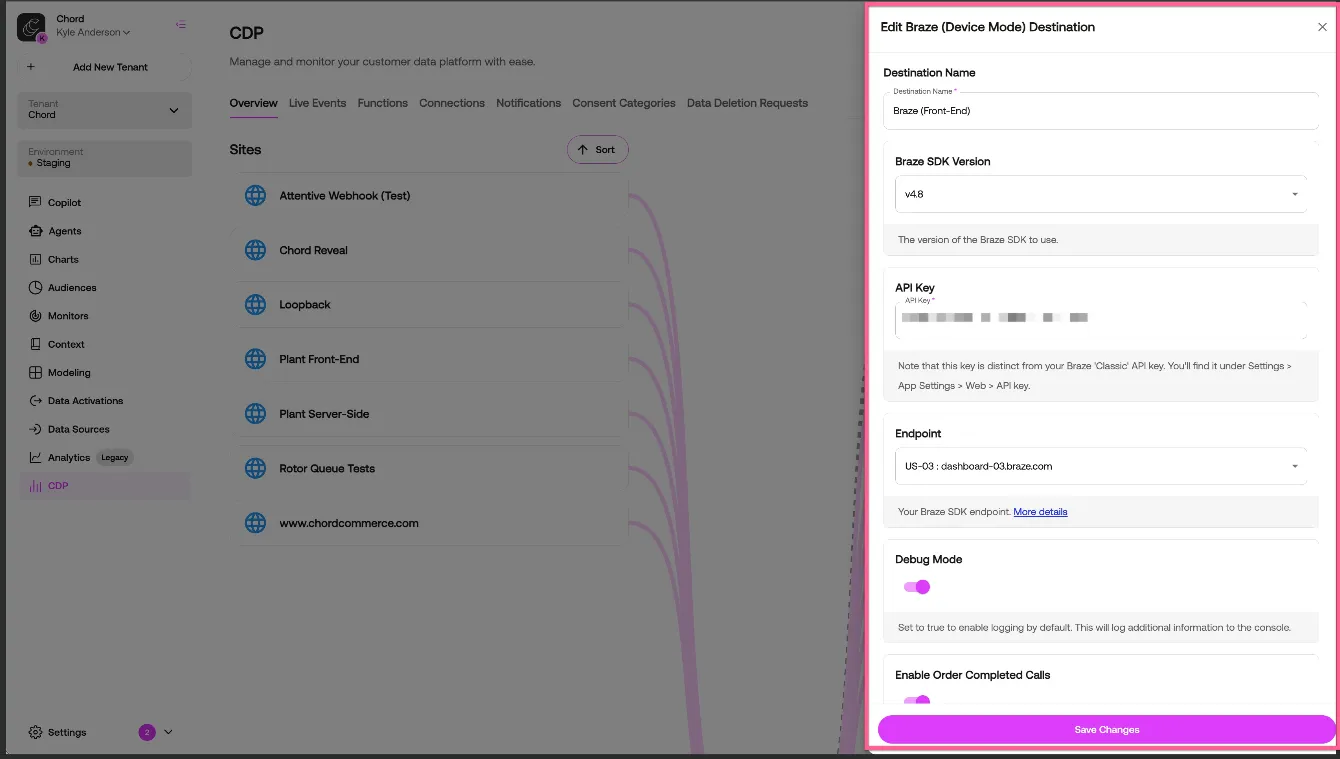
- Enter a destination name and your Braze API key (found under Settings > App Settings > Web > API Key — note this is distinct from your classic Braze API key).
- Click Create to connect.
Customize Chord + Braze
Step 1: Select SDK Version
- Select the version of the Braze SDK to use.
- Braze SDK Versions 4.1 through 5.9 available.
Step 2: Select Endpoint
- Select the correct Braze SDK endpoint for your application.
- Braze endpoints US-01 through US-09 & EU-01 through EU-02 are available.
Step 3: Select Event Config Options
- Enable Order Completed Calls
- Enable Track Calls
- Enable Identify Calls
- Send Page Events
- Page Event Name
- Allowed User Supplied JavaScript
- Automatically Send In App Messages
- Eager SDK Initialization
- Consent Requirements
- Send Null Consent Events
Use Chord with Braze
Once connected, Chord maps its tracking events to Braze as follows (Device Mode):
Chord Event | Braze Event |
|---|---|
order_completed | logPurchase |
All other track events | logCustomEvent |
identify | getUser (updates user attributes) |
Step 1: Access event data in Braze. After setup, Chord events will begin flowing into Braze automatically. Navigate to your Braze dashboard to verify event receipt under your user profiles or event stream.
Step 2: Build campaigns using Chord data. Use the synced events and user attributes in Braze to create segments, trigger Canvas flows, or power message personalization based on real customer behavior from your Chord storefront.
Considerations
- Avoid duplicate events: Before connecting Braze through the Chord CDP, confirm with all destination owners that any non-Chord CDP configured destinations sending to Braze are disabled. Running external destinations alongside Chord CDP destinations can result in duplicate events downstream.
- Not all Chord tracking events are forwarded to Braze. Only the events mapped in the Chord tracking plan are relayed to configured destinations.
Troubleshooting
If you are unable to verify events properly being passed through to Braze from Chord, there are a few checks to be made to confirm that data is properly to and from Chord into Braze.
- Ensure that live tracking events are arriving in the Chord CDP: Verify in the Live Events tab of the Chord CDP that there are live events being fired from all relevant sources. Without live events, there will be nothing to pass through to Braze.
- Ensure that these live events are properly being passed to your configured Braze destinations:
- First, validate that your configured Braze destinations are configured correctly with the appropriate API key, SDK braze version and endpoint.
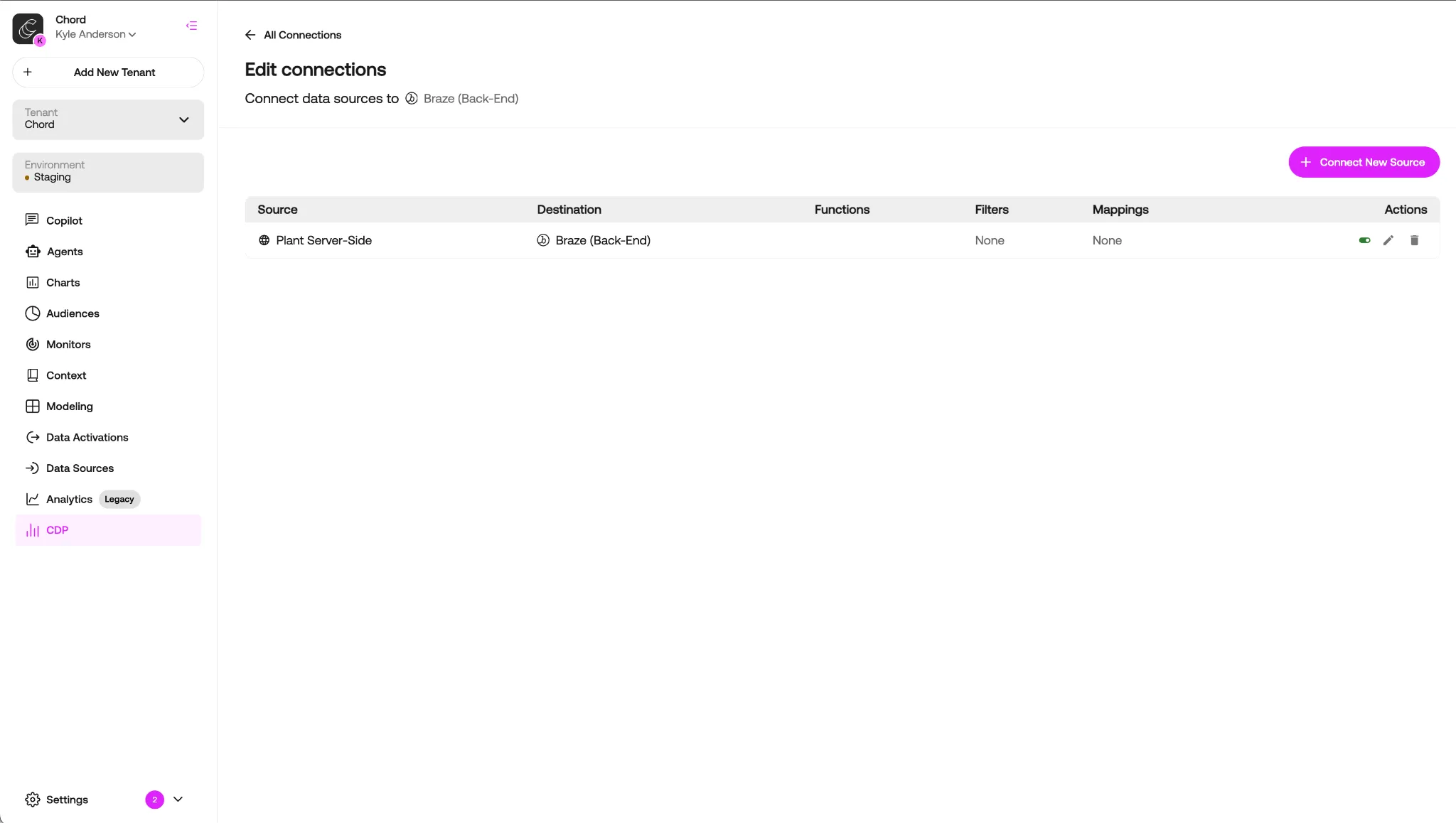
- Second, validate that your configured Braze destinations are properly connected to a corresponding source in the Chord CDP
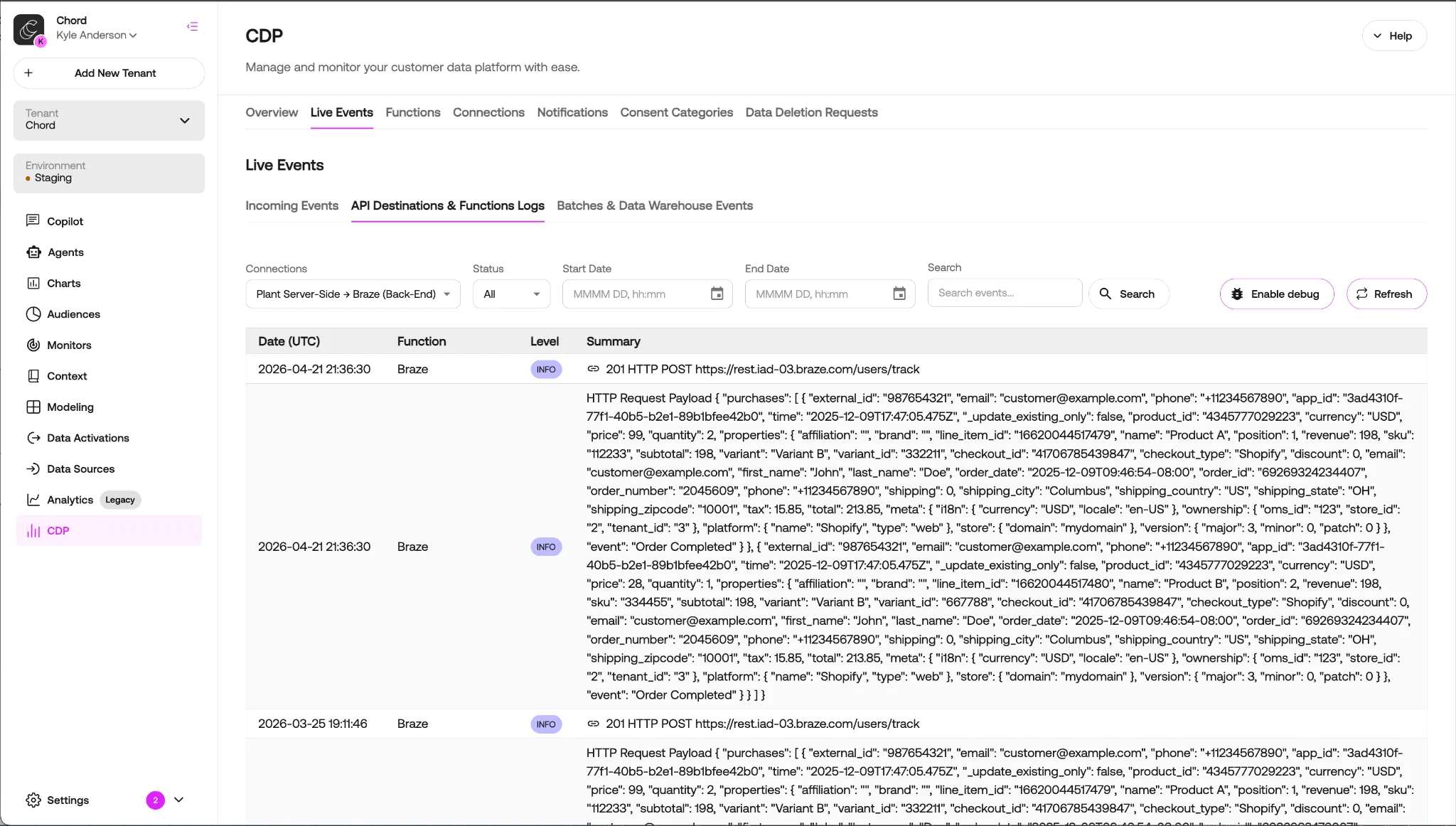
- Once validated, confirm that events are firing AND are successfully sending to the Braze API endpoint (Live Events > API Destinations & Function Logs).
- Verify successful hits to the /users/track and /users/identify endpoints.
- Confirm events in your Braze dashboard.
- Additional destination documentation can be found here:
- Braze (Cloud Mode)Braze (Cloud Mode)
- Braze (Device Mode)Braze (Device Mode)