Chord Monitors
Monitors let you set threshold-based alerts on any metric in your warehouse. When a monitor fires, you get an email notification so you can act on changes before they become problems, without having to check manually.
Monitors are being retired soon. This feature will be replaced by a new experience. Existing monitors keep running for now, and new monitors can no longer be created.
Getting started
The fastest way to create a monitor is directly from a Ask Chord answer.
- Log into Chord.
- Navigate to Ask Chord from the left navigation menu.
- Ask a question about your store's data, or browse suggested questions using the Suggested Questions dropdown below the chat box.
- Once you receive an answer, click the Monitor button to generate a monitor for that question.
- Review the SQL Ask Chord generated for the monitor and refine as needed.
- Save the monitor. It will appear on your Monitors page.
Managing monitors
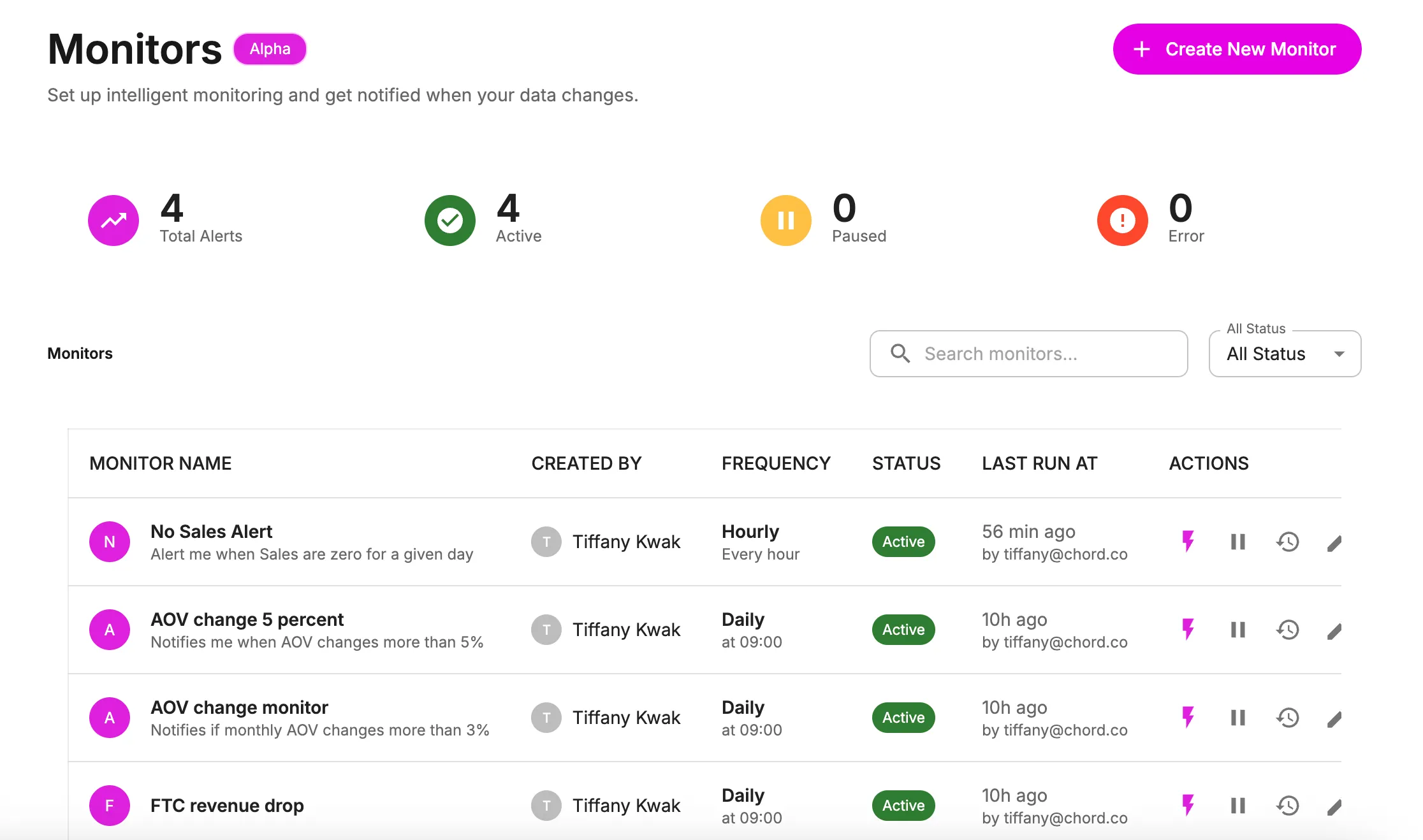
Once created, monitors live on the Monitors page. Here's what you'll find:
Create new monitor: Click Create New Monitor in the top right corner and follow the prompts to set up a monitor from scratch.
Alert summary tiles: Click any tile to filter the monitors table below. Quickly surface active alerts, paused alerts, or alerts with errors. Click Total Alerts to see all monitors.
Monitors filters: Search for a specific monitor by name, or use the status filter to find monitors that are active, inactive, paused, or erroring.
Monitors list: The table shows each monitor for your organization, including the alert name, who created it, monitoring frequency, active or inactive status, and when it last ran.
Available actions per monitor:
- Run test now
- Pause
- View history
- Edit
When a monitor fires
When a monitor's threshold is met, Chord sends an email notification to the user who created the monitor. No additional configuration is required.
Sample use cases
- Alert when daily revenue drops more than 20% compared to the prior week.
- Monitor new customer acquisition rate and flag any week-over-week decline.
- Notify when subscription churn rate spikes above a set threshold.