Prepaid (non-Gift) Subscription
Overview
A prepaid subscription is paid for upfront, in full, at the time of purchase. Instead of being billed each cycle, the customer buys a fixed number of deliveries (for example, 5 shipments) at a set interval, and those deliveries are then fulfilled over time until the prepaid term is used up. A non-gift prepaid subscription is one the customer purchased for themselves (as opposed to a gift purchased for someone else, which is covered in its own section).
Prepaid subscriptions behave quite differently from standard recurring ones:
- They're paid in advance — there's no per-cycle charge; the deliveries are already paid for.
- They have a fixed length — they run for a set number of deliveries and then end on their own.
- They can't be paused, skipped, or resumed — because the term is already purchased, these customer self-service actions are not available (see Available actions below).
Because of the prepaid model, a prepaid subscription's status is shown using two status fields in the admin:
- State — the overall subscription status (Active, Canceled, or Inactive).
- Prepaid state — tracks the progress of the prepaid term itself (Pending, Active, Completed, or Canceled).
These two move together through the lifecycle, with the Prepaid state giving the more detailed picture. (A Processing state — Pending, Success, or Failed — is also shown, reflecting the health of the most recent delivery, just as it does for standard subscriptions.)
The sections that follow walk through the prepaid lifecycle, what places a subscription into each status, and how the two status fields line up at each step.
Prepaid State
A prepaid subscription progresses through the following stages. The Prepaid state is the primary indicator of where it is in its term; the State badge mirrors it as shown below.
Pending
The prepaid subscription has been purchased but hasn't started delivering yet. This is the brief setup stage between the purchase being placed and the subscription becoming ready to fulfill its first delivery. A prepaid set to begin on a future start date stays Pending until that date.
- What puts it here: the prepaid subscription is created in Pending at the time of purchase.
- Overall State: the subscription is being set up and has not yet begun delivering.
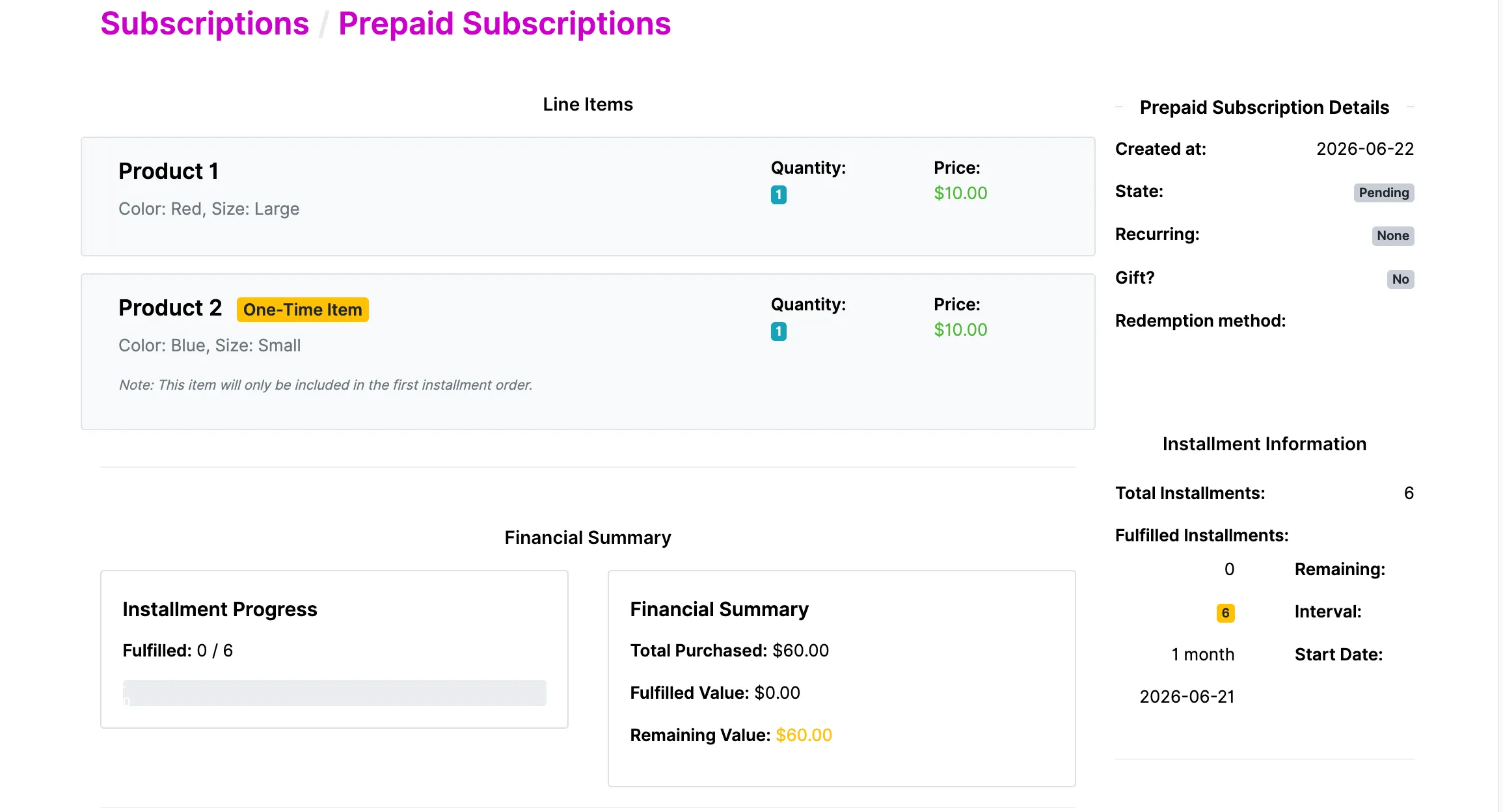
Active
The prepaid term is underway. Deliveries are being fulfilled on the set schedule, drawing down the prepaid balance one delivery at a time until the purchased number of deliveries is reached.
- What puts it here: the subscription is activated and begins fulfilling deliveries.
- Overall State: Active.
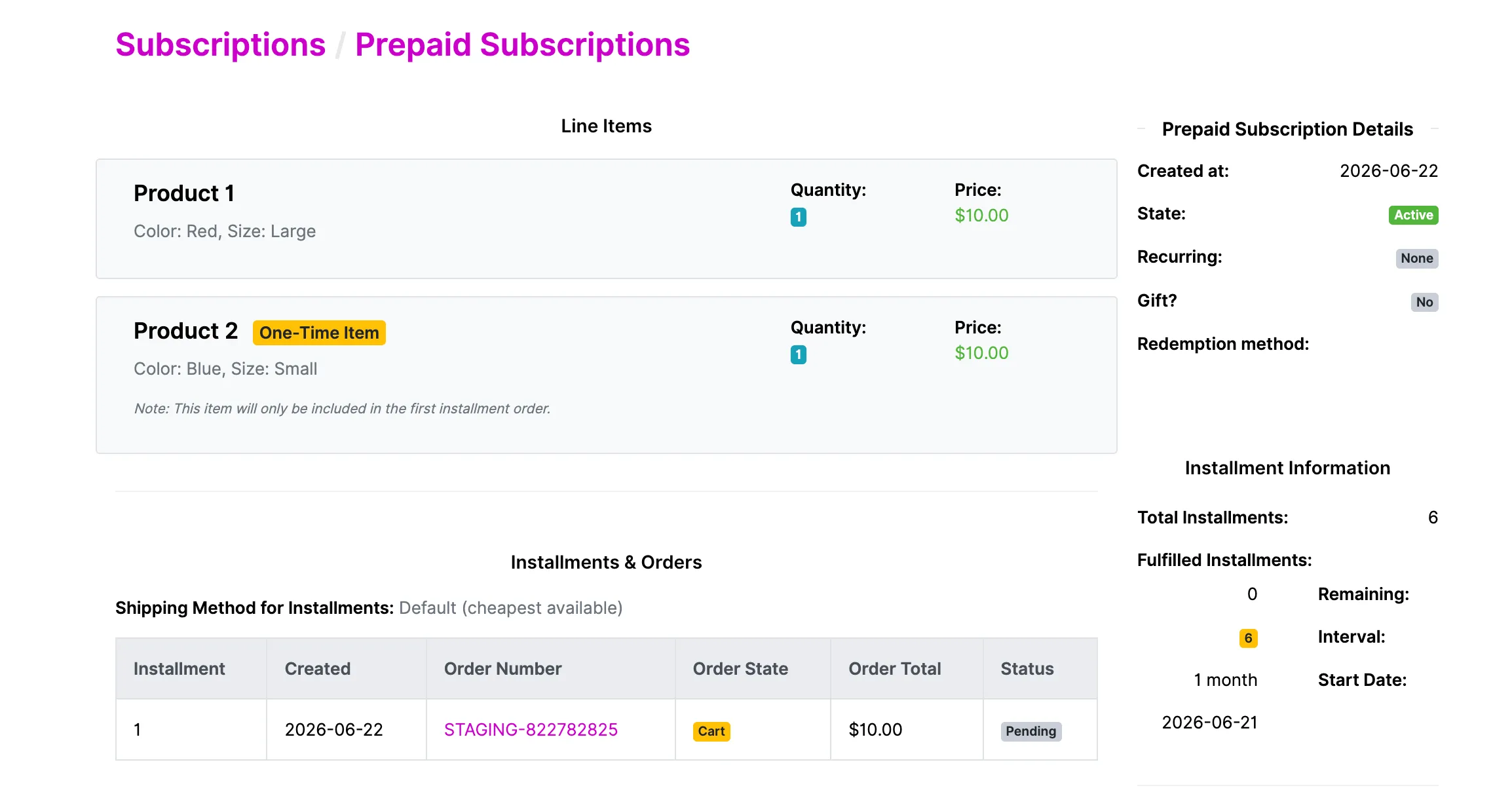
Completed
All of the purchased deliveries have been fulfilled and the prepaid term is finished. The subscription has run its full course and will not place any more orders. This is a natural, successful end.
- What puts it here: the final delivery in the prepaid term is fulfilled (the purchased delivery count is reached — e.g. 3 of 3).
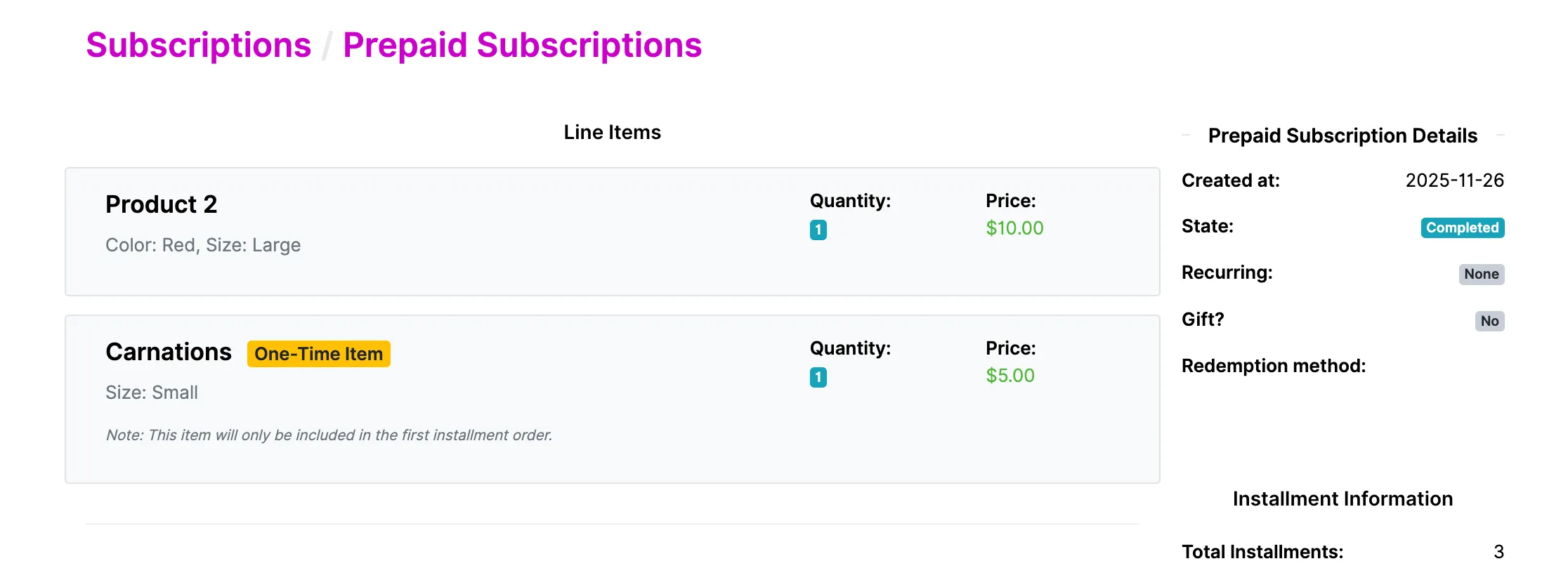
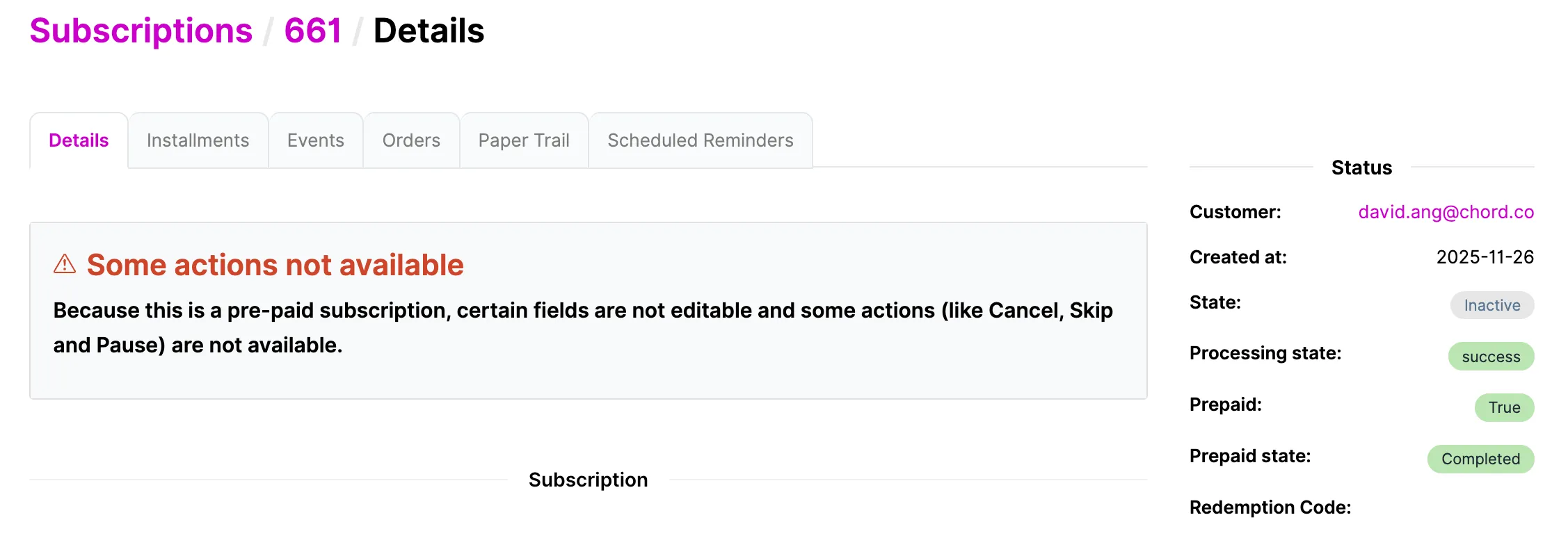
- Where you'll see it: Completed is shown on the Prepaid Subscriptions page as the prepaid's State. The linked subscription, on its own Details page, will instead show a State of Inactive.
Note: "Completed" and "Inactive" are the same outcome, shown from two different views.
- On the Prepaid Subscriptions page, the State describes the prepaid term. When every purchased delivery has shipped, this reads Completed — meaning the term finished successfully.
- On the Subscription → Details page, the State describes the subscription itself. Once the term is done, this reads Inactive — meaning the subscription has ended and won't place further orders. That same page also shows a Prepaid state field, which reads Completed, tying the two together.
So Completed answers "did the prepaid term finish?" and Inactive answers "is the subscription still running?"
For a finished prepaid subscription, both are true at once: the term Completed, so the subscription is now Inactive. Seeing different words on the two pages is expected — it's not a discrepancy.
Canceled
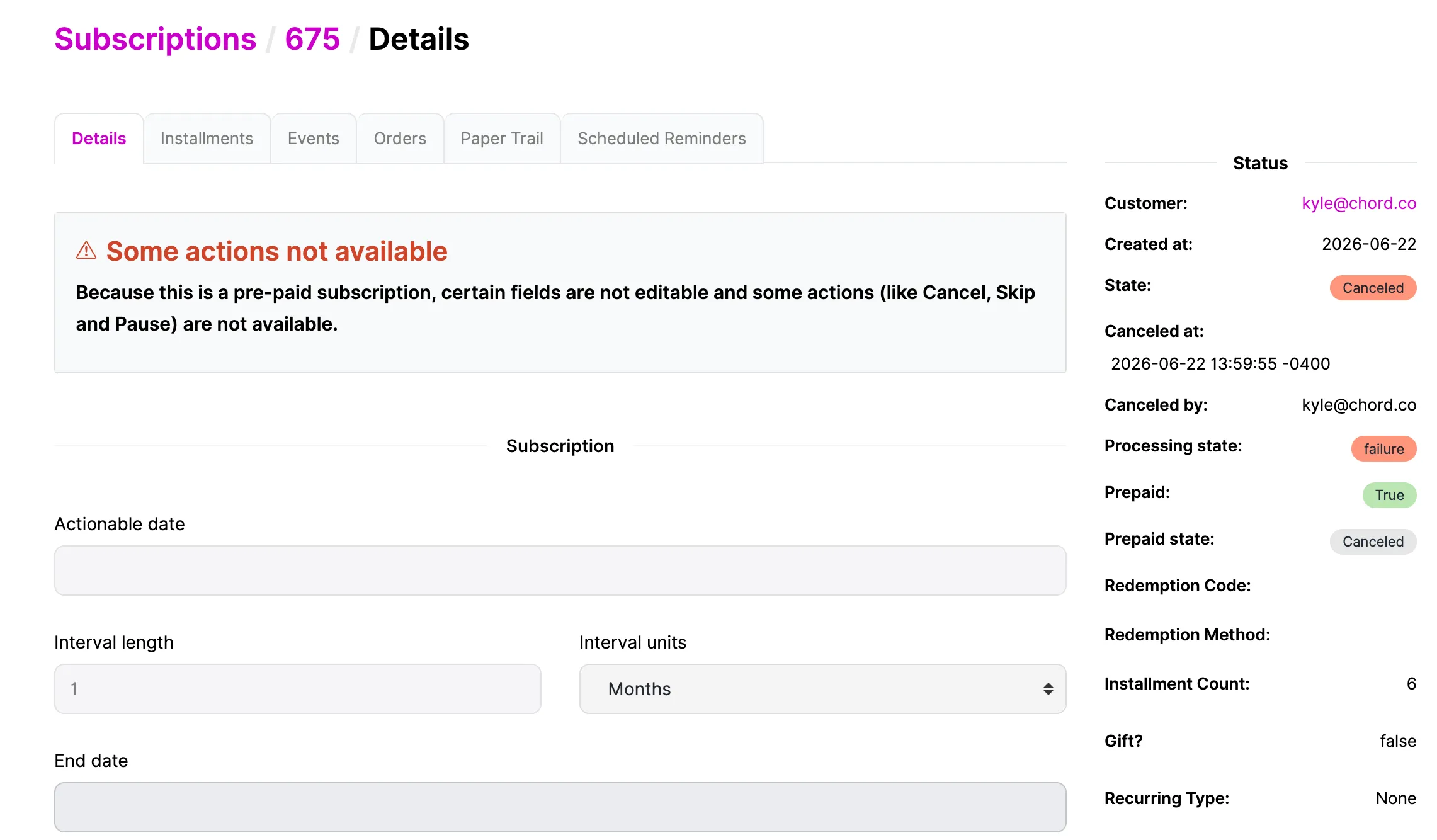
The prepaid subscription was ended early, before all of its purchased deliveries were fulfilled. Because the customer paid upfront, canceling triggers a prorated refund for the deliveries that were paid for but not yet received.
- What puts it here: the customer or an admin cancels the subscription (cancellation availability depends on a store setting — see below).
- Refund: the unused portion of the term is refunded — either as store credit or back to the original payment method, depending on how the cancellation is processed.
- Overall State: Canceled.
Available actions
Because a prepaid subscription's term is purchased in advance, the self-service actions available on standard subscriptions are intentionally restricted:
- Pause, Resume, and Skip are not available. A prepaid subscription's schedule can't be changed this way — there's no charge to defer and no cycle to skip, so these actions are blocked.
- Cancel is available only if the store enables prepaid subscription management. By default, cancellation is turned off for prepaid subscriptions. When a store turns on prepaid subscription management, the Cancel action becomes available (and triggers the prorated refund described above).
When these actions are unavailable, the admin displays a banner on the subscription:
Note: "Some actions not available — Because this is a pre-paid subscription, certain fields are not editable and some actions (like Cancel, Skip and Pause) are not available."
What happens at the end of the term
When a prepaid subscription fulfills its last purchased delivery, what happens next depends on how it was set up:
- One-time prepaid (most common): the subscription Completes and goes Inactive. It does not automatically renew — the customer would need to purchase again to continue.
- Renewing prepaid: instead of ending, the subscription automatically purchases another prepaid block of the same length and continues delivering. The term effectively repeats.
- Prepaid that converts to a standard subscription ("rollover"): when the prepaid term completes, the original prepaid subscription goes Inactive (Completed) and a new standard recurring subscription is created to continue service going forward. The new subscription is linked back to the prepaid one it was converted from, so the history is traceable. (This new subscription then follows the Standard/Recurring lifecycle documented in that section.)