Scheduled Items
Admins can schedule one-time items to be automatically added to future subscription installments. Items can repeat across multiple installments with a specified quantity.
How to Use
Adding a Scheduled Item
- Go to Subscriptions > Edit a subscription
- Scroll to the Scheduled Items section
- Click "+ Add Scheduled Item"
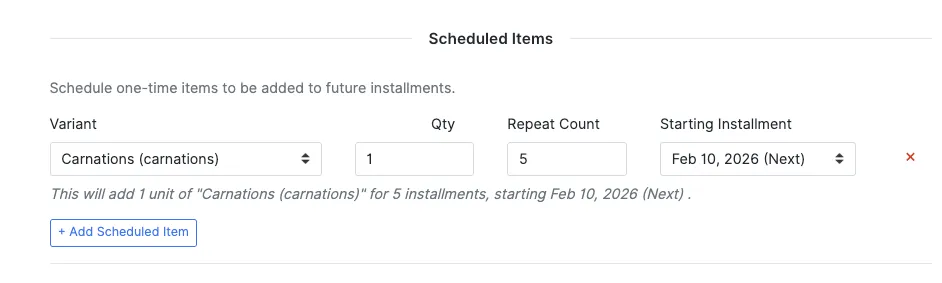
- Fill in:
- Variant — Search for the product variant to add
- Qty — Number of units per installment
- Repeat Count — How many installments to include this item
- Starting Installment — Which upcoming installment date to start from
- A summary will appear: "This will add 1 units of 'Carnations' for 5 installments, starting Feb 10, 2026"
- Click Update to save
Editing a Scheduled Item
You can change the variant, quantity, or repeat count of an existing item. The system tracks how many times the item has already been delivered and adjusts accordingly.
Canceling a Scheduled Item
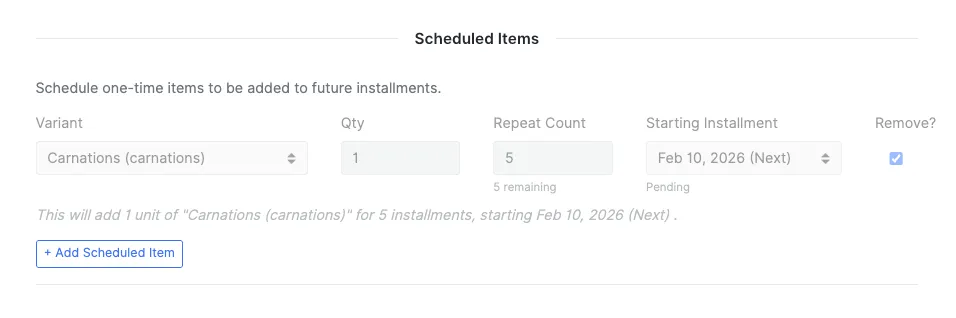
Check the Remove checkbox next to the item and click Update. The item will no longer be added to future installments.
What Happens at Processing Time
When a subscription installment is processed and an order is created, the system automatically adds any scheduled items that are due. The item's remaining count is decremented each time, and once all repetitions are fulfilled the item stops being added.
Example
Installment | Action | Remaining |
|---|---|---|
Feb 13 (start date) | 2x Widget added to order | 2 remaining |
Feb 20 | 2x Widget added to order | 1 remaining |
Feb 27 | 2x Widget added to order | Completed |
Mar 6+ | Nothing added | - |
Limitations
- Not available for prepaid subscriptions
- Items are added as one-time charges, not recurring subscription items