Facebook Ads (Meta)
This page describes how to connect Facebook Ads (Meta) as a Data Activation
Getting Started
Facebook Ads support two separate authentication mechanisms: OAuth and System User. Chord recommends using System User for the most reliable connection long term as it does not require re-authentication every 60 days.
Using a System User (Recommended)
The steps to create a Facebook System User are more complex than using OAuth, but it's the most reliable way to connect to Facebook Ads, especially if you intend to use the connection long term.
A regular system user is recommended over an admin system user. You can use an existing system user or create a new one with the following steps:
- To generate a system user token, you'll first need an application. If you don't have one already, you can create one with the following steps:
- Open your Business Manager
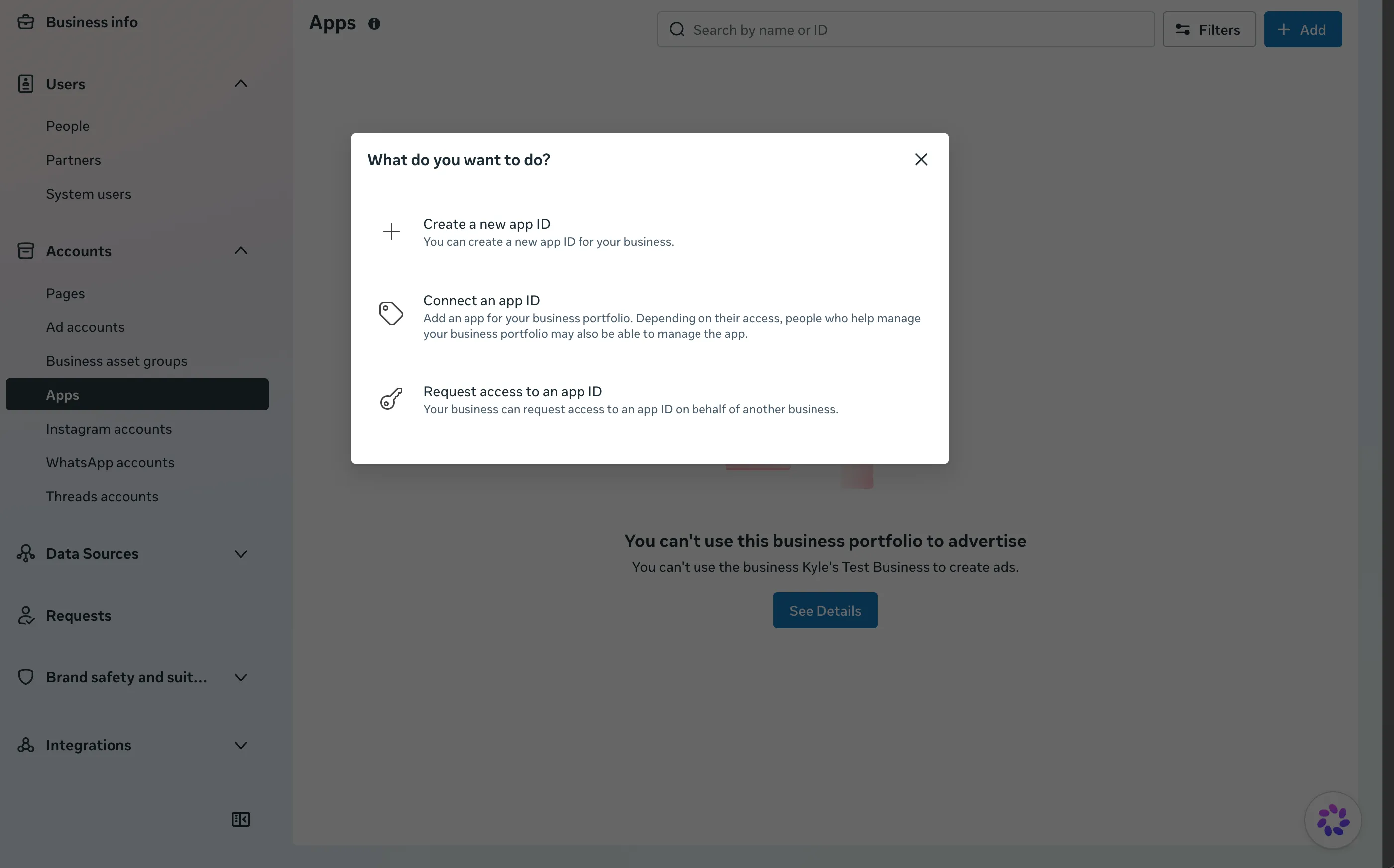
- Navigate to Business Settings > Accounts > Apps
- Click Add and then Create New App ID
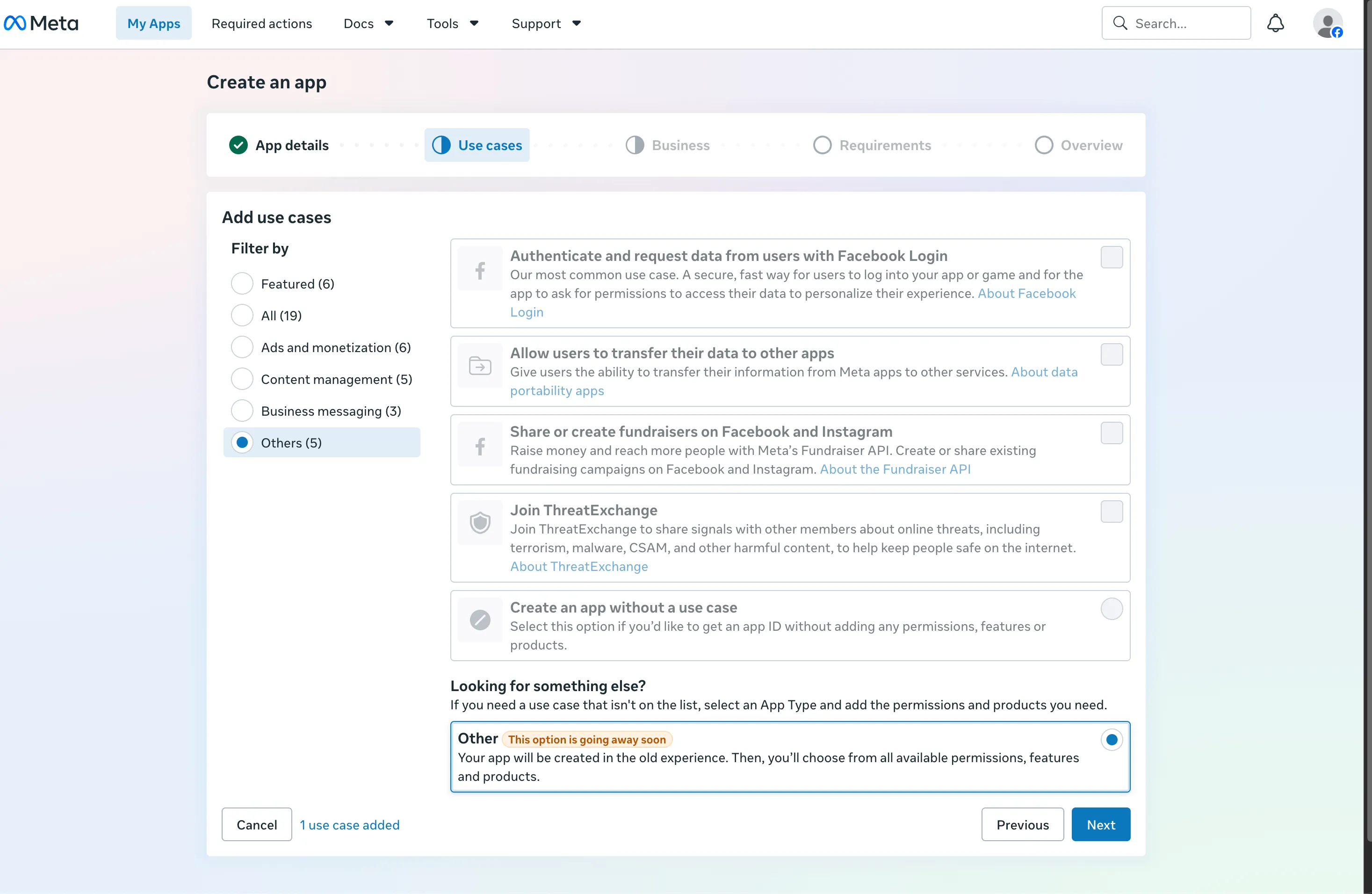
- For use case select Other
- Then for Type select Business
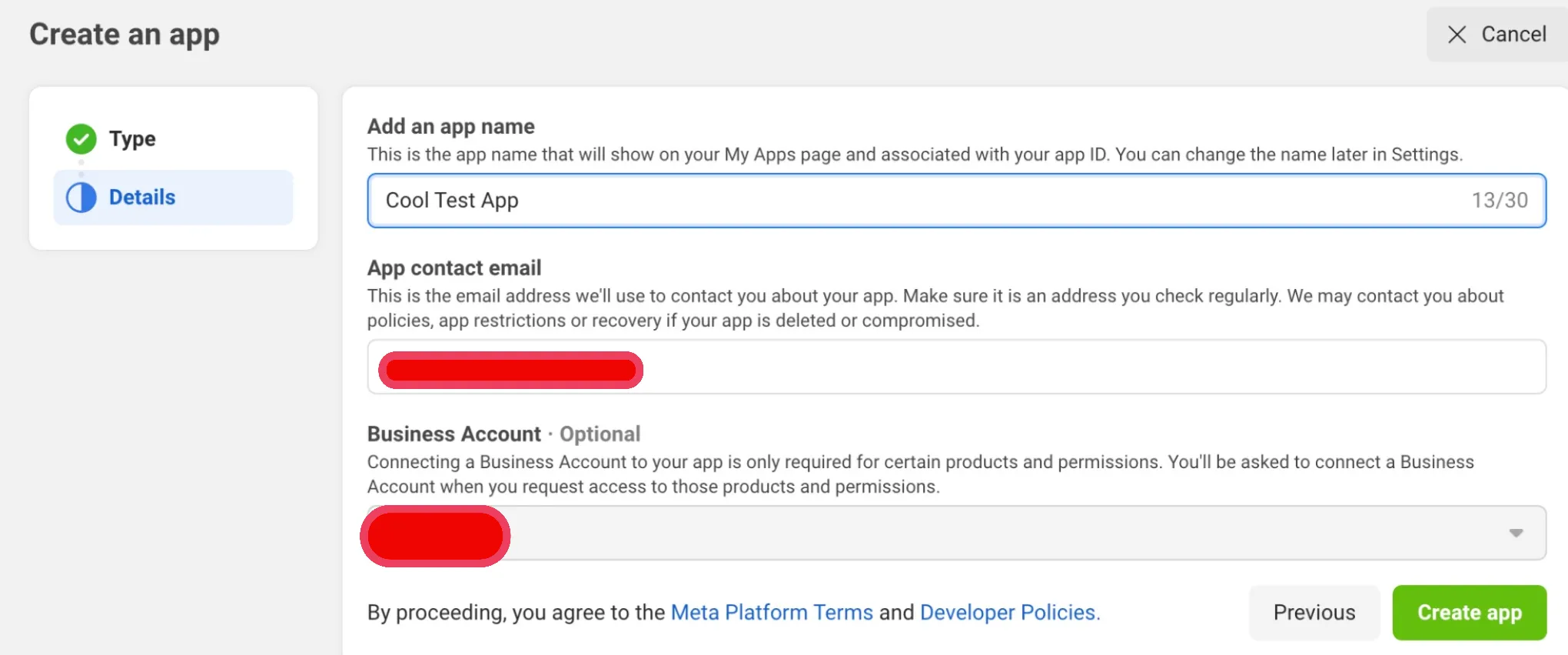
- Then fill out the relevant details and press Create App
- Now you can generate a system user for the app. Go to your Business Manager and navigate to Business Settings > Users > System Users
Above your list of system users click Add to create a new System User
- Provide a name and role. Chord does not need an Admin role, Employee is sufficient.
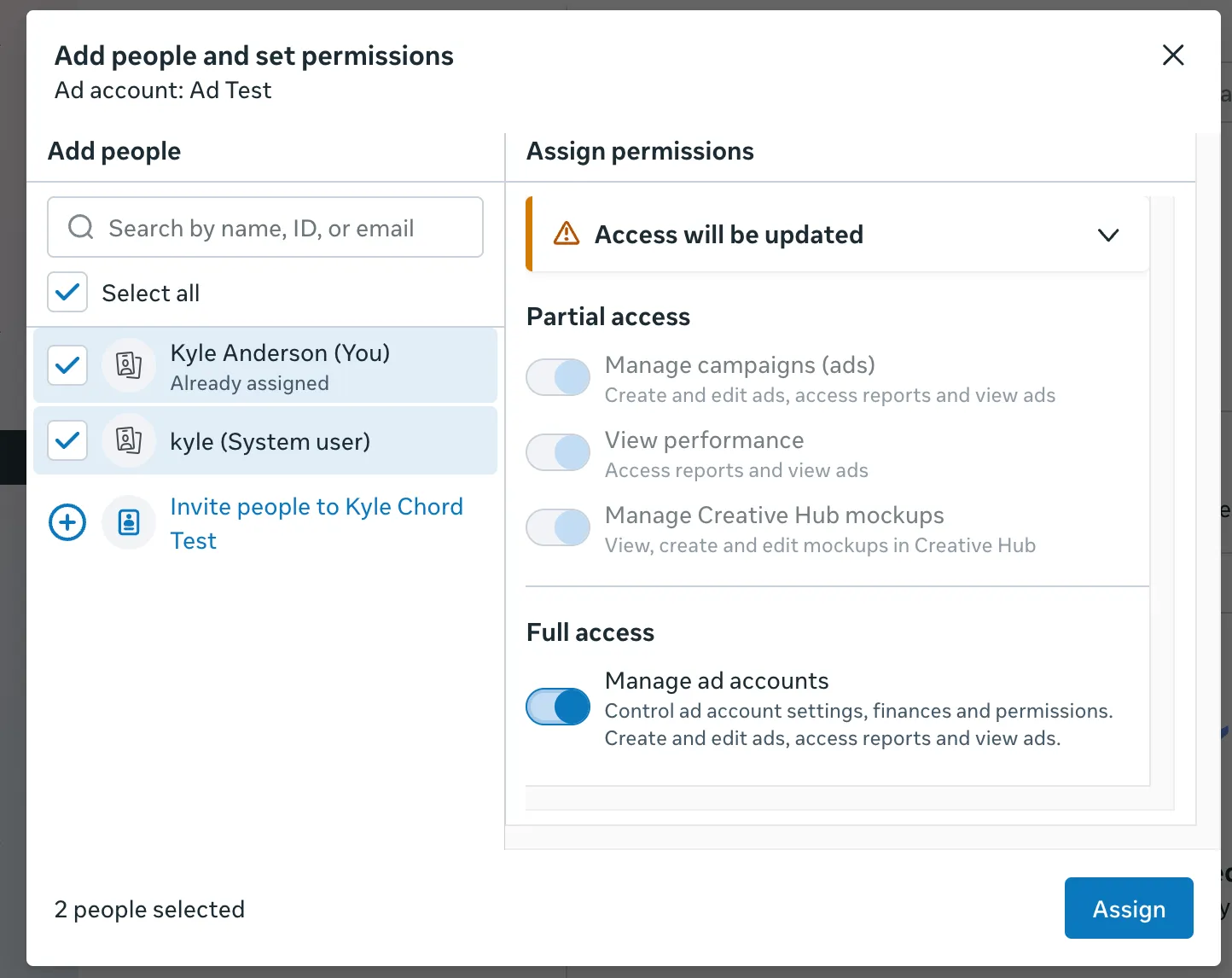
- Once the system user is created click on Add Assets and add the Application you created in step one. Make sure to assign full control of the app to the system user.
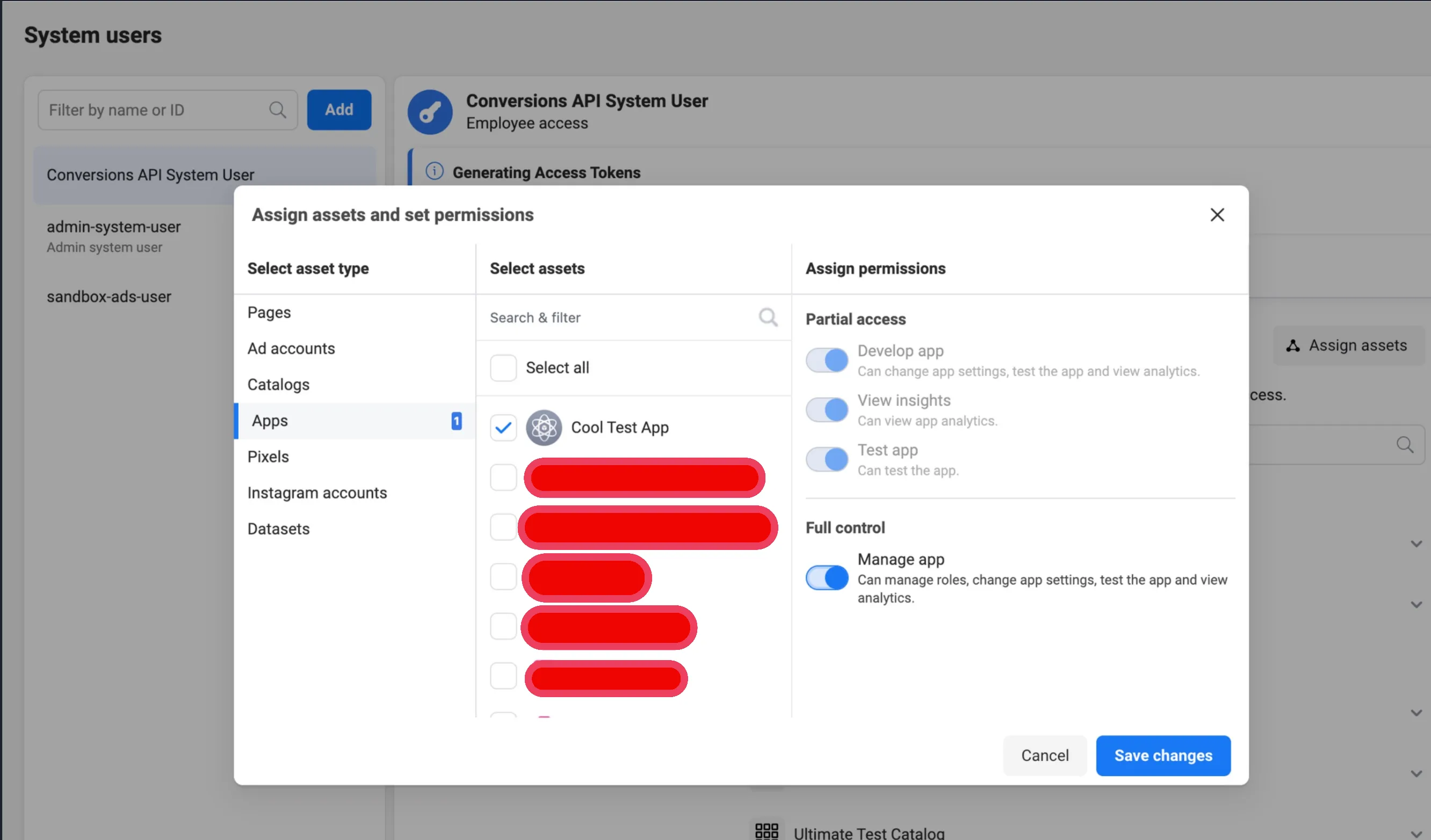
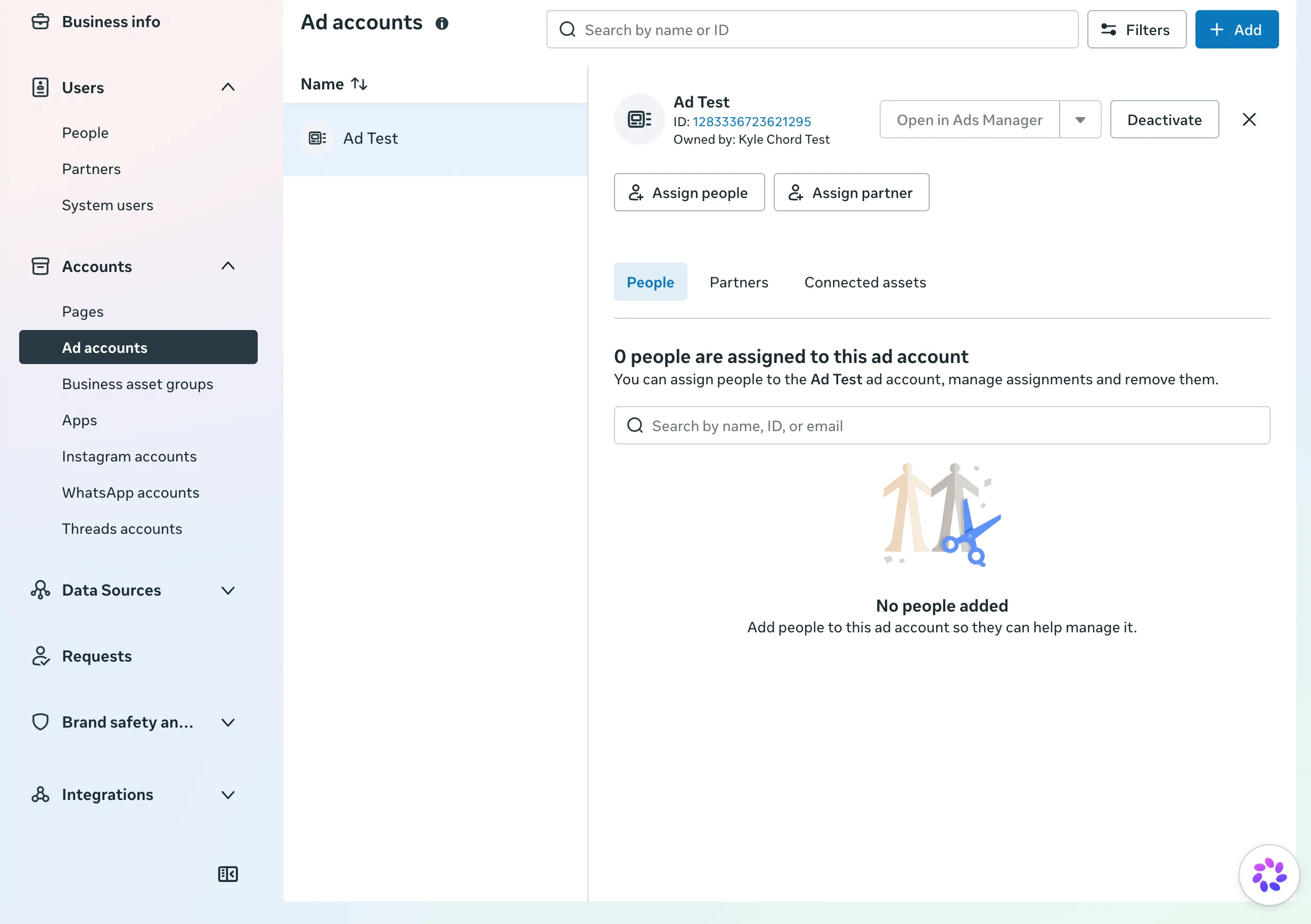
- You'll also need to assign your System User full control over any Ad Accounts that own any Custom Audiences you'd like to sync data to.
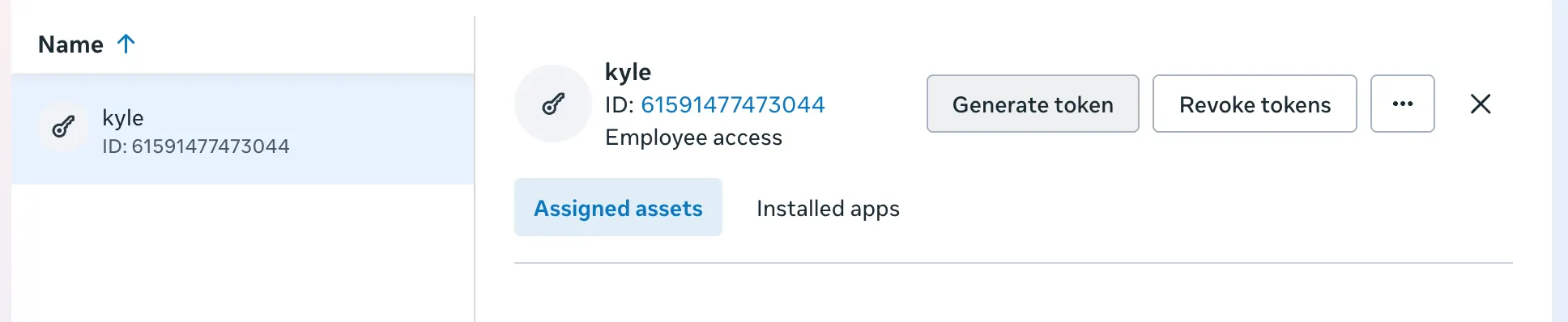
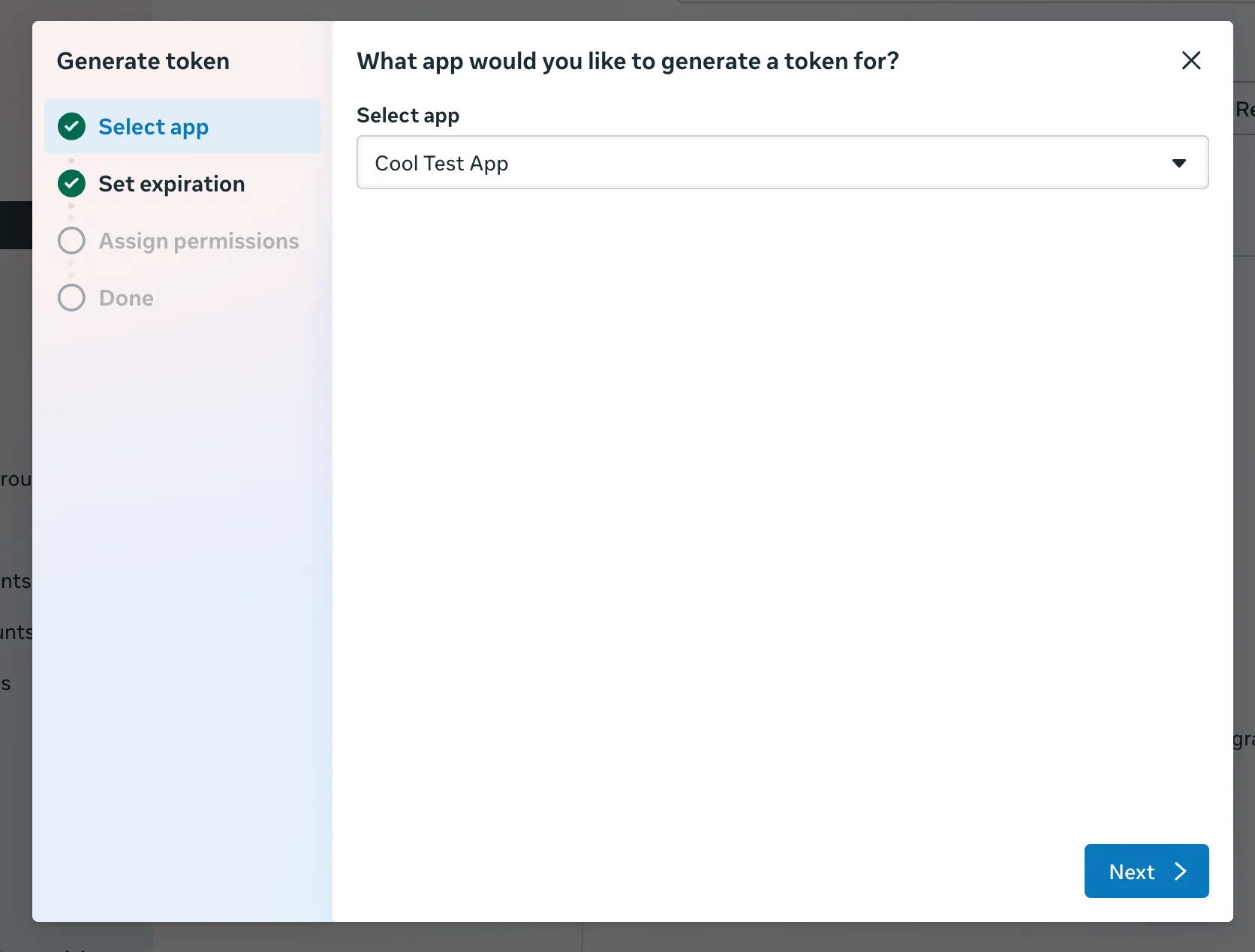
- Now generate a token for the System User by pressing Generate New Token.
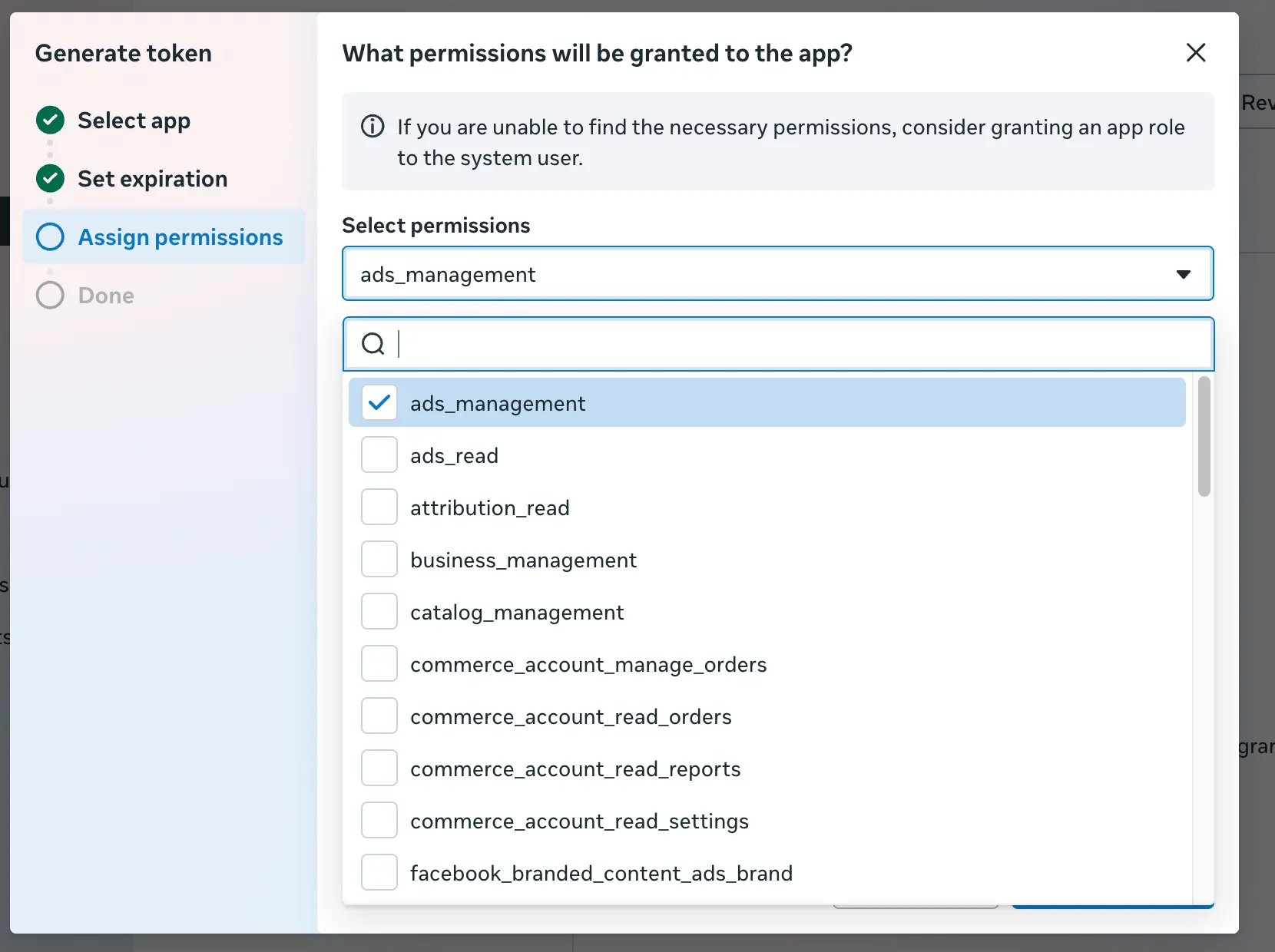
- You will need to provide the following scope for Chord to sync to your Facebook Conversions and Custom Audiences: ads_management
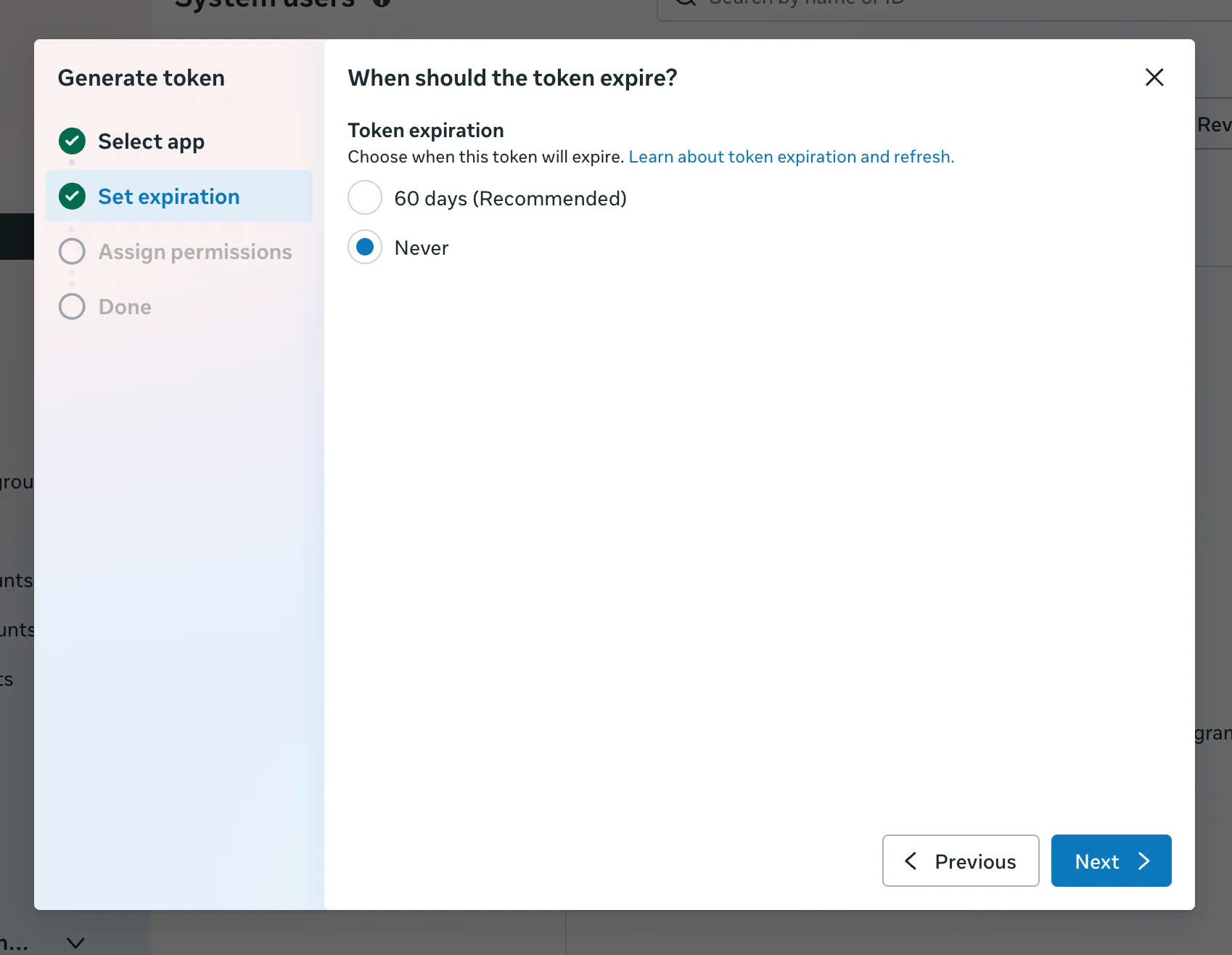
- Make sure to select Never for token expiration so you do not need to manually reauthorize your Chord connection every 60 days.
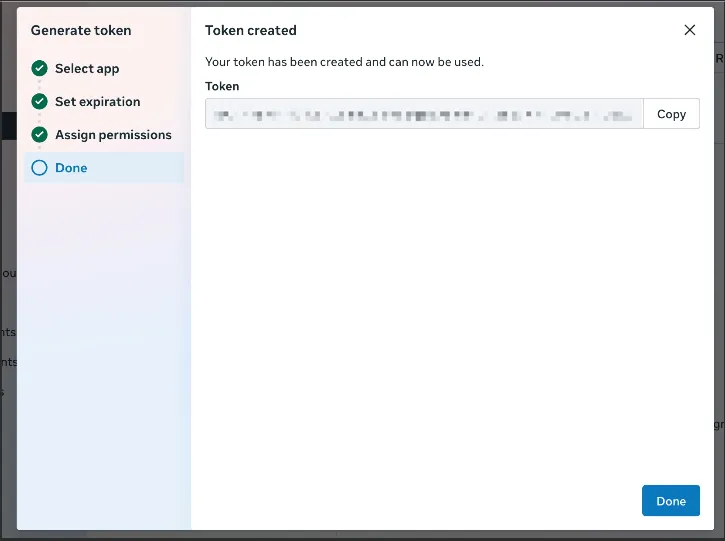
- Once your token is generated be sure to save it in a safe place. This is the token you must provide to Chord Data Activations as a credential for your connection.
To validate that your System User Token is set up correctly and has the necessary scopes you can input your access token in the link below. https://developers.facebook.com/tools/debug/accesstoken
Using an Existing System User
If you already have a system user you can use it by simply generating a new token with the correct permissions. Be sure to assign the asset for your Application to your System User with full control. Chord Data Activations needs the ads_management scope.
Using OAuth
If you'd like to use OAuth, connecting to Facebook Ads is as simple as clicking the "Connect" button and following the prompts. Chord will guide you through the process of authenticating with Facebook and selecting the ad accounts you'd like to sync data from.
The downside of this method is that authentication will expire every 60 days and require re-authentication. We recommend using a System User for the most reliable connection long term.