Setting Up a Shopify Custom App for Chord
5 min
Creating Custom Shopify Apps on behalf of Chord
Step 1: Create the App
- Go to your Shopify Dev Dashboard
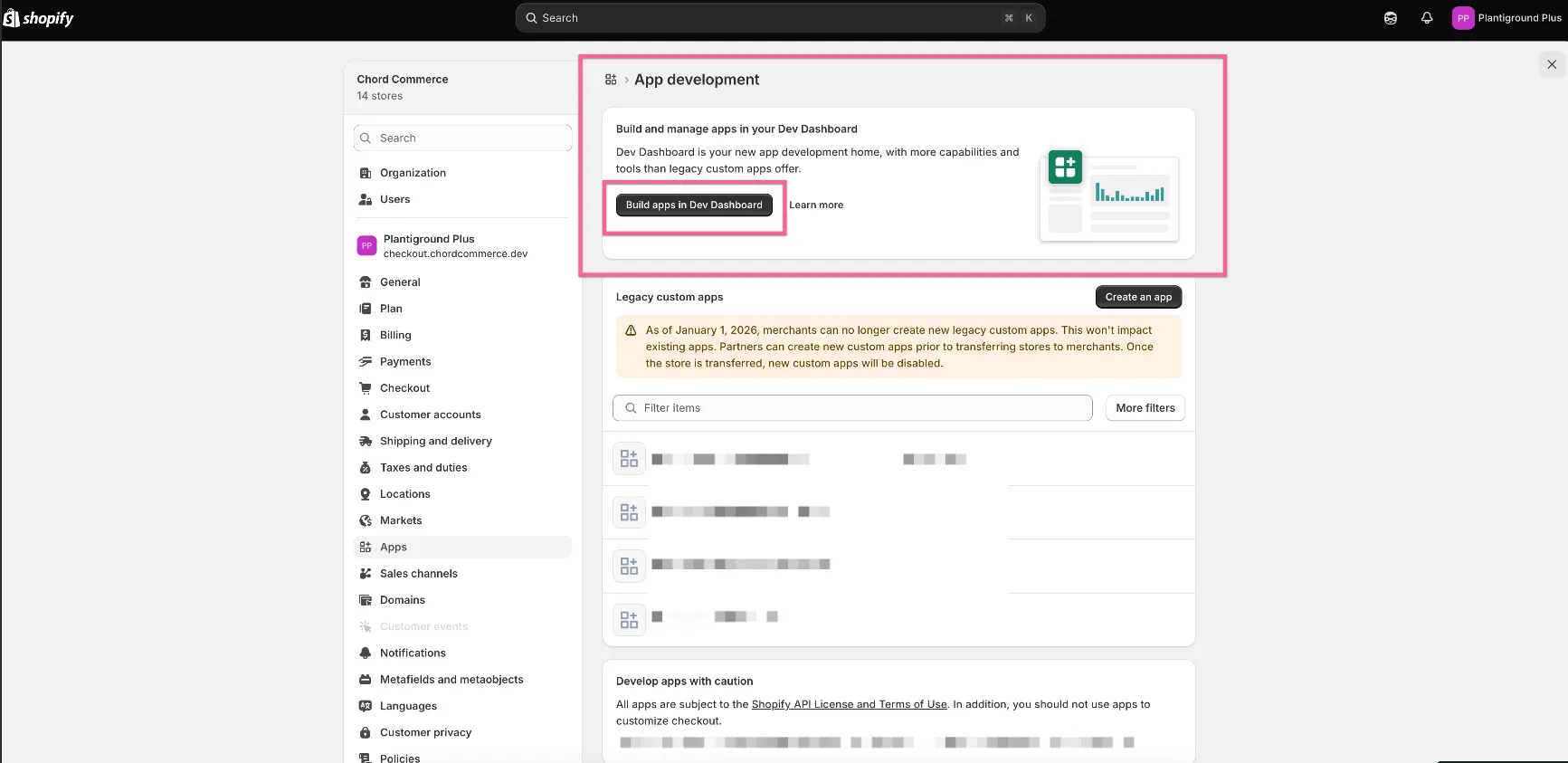
- In the navigation menu, click Apps → Create app
- Under Start from Dev Dashboard, enter the app name
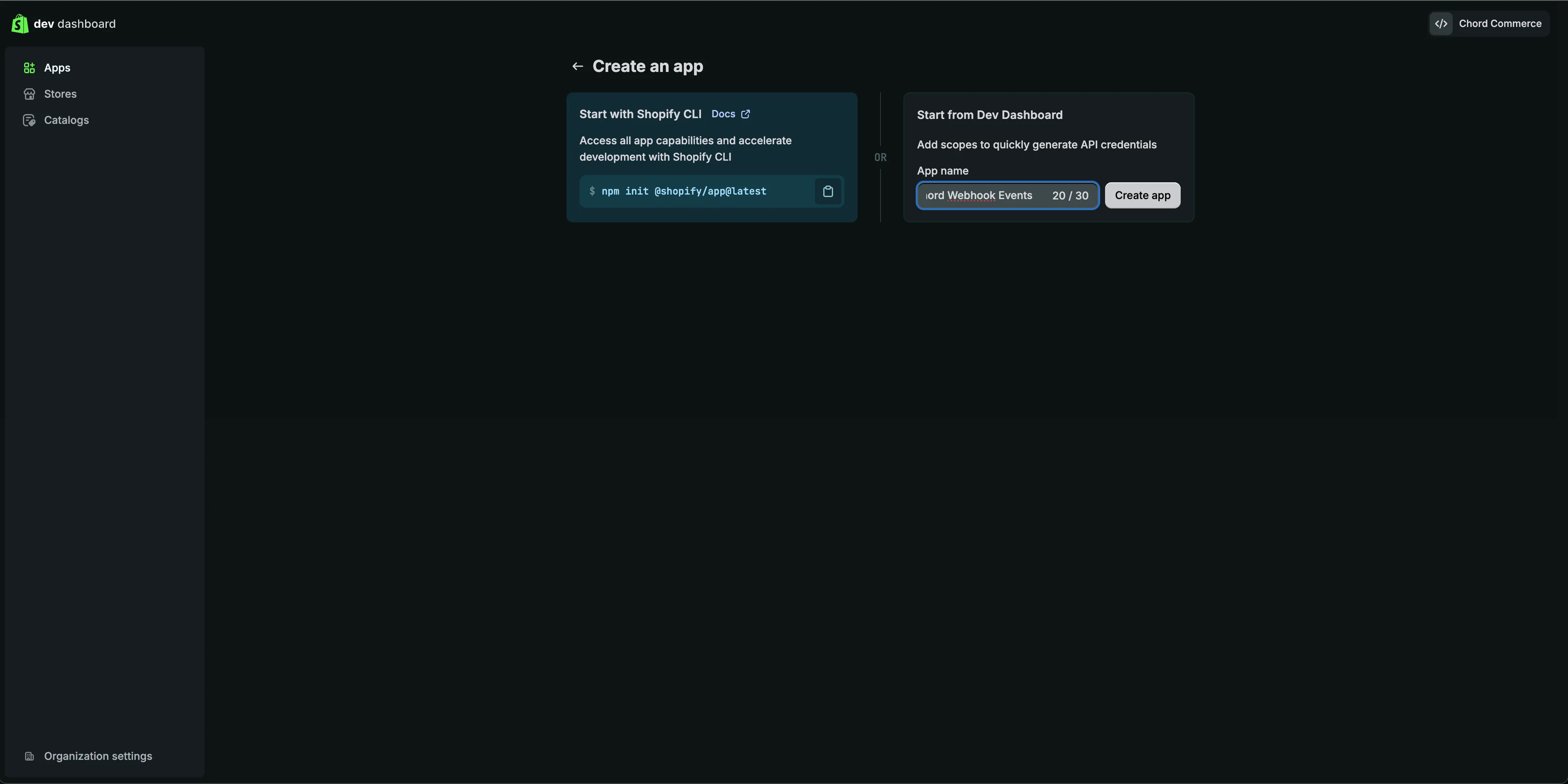
- Click Create
Step 2: Configure Access Scopes
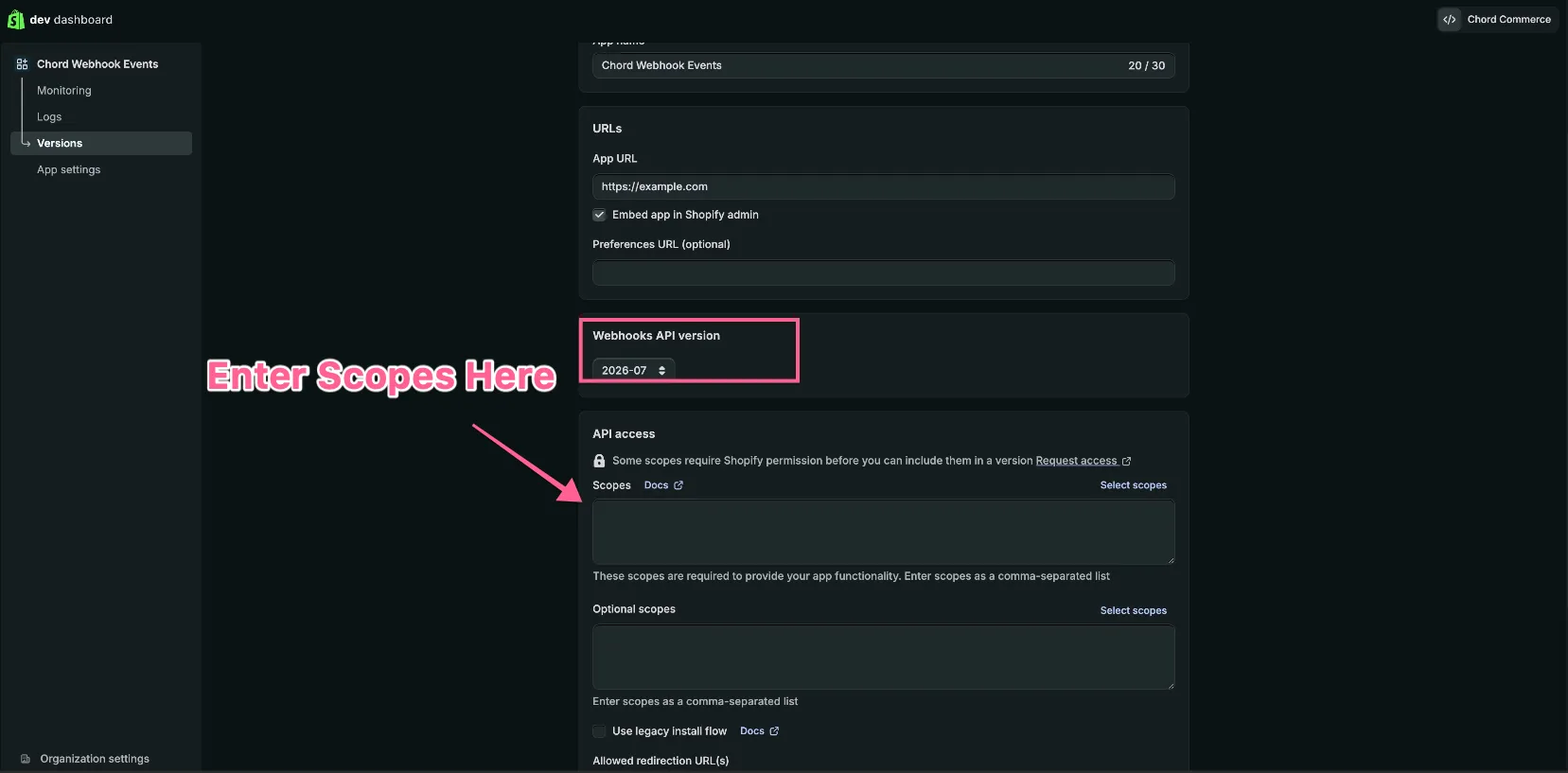
- Leave the form settings as-is
- In the API Access section, select/paste the relevant API Access scopes
- Click Release
Step 3: Install the App
- On the app Home page, click Install app
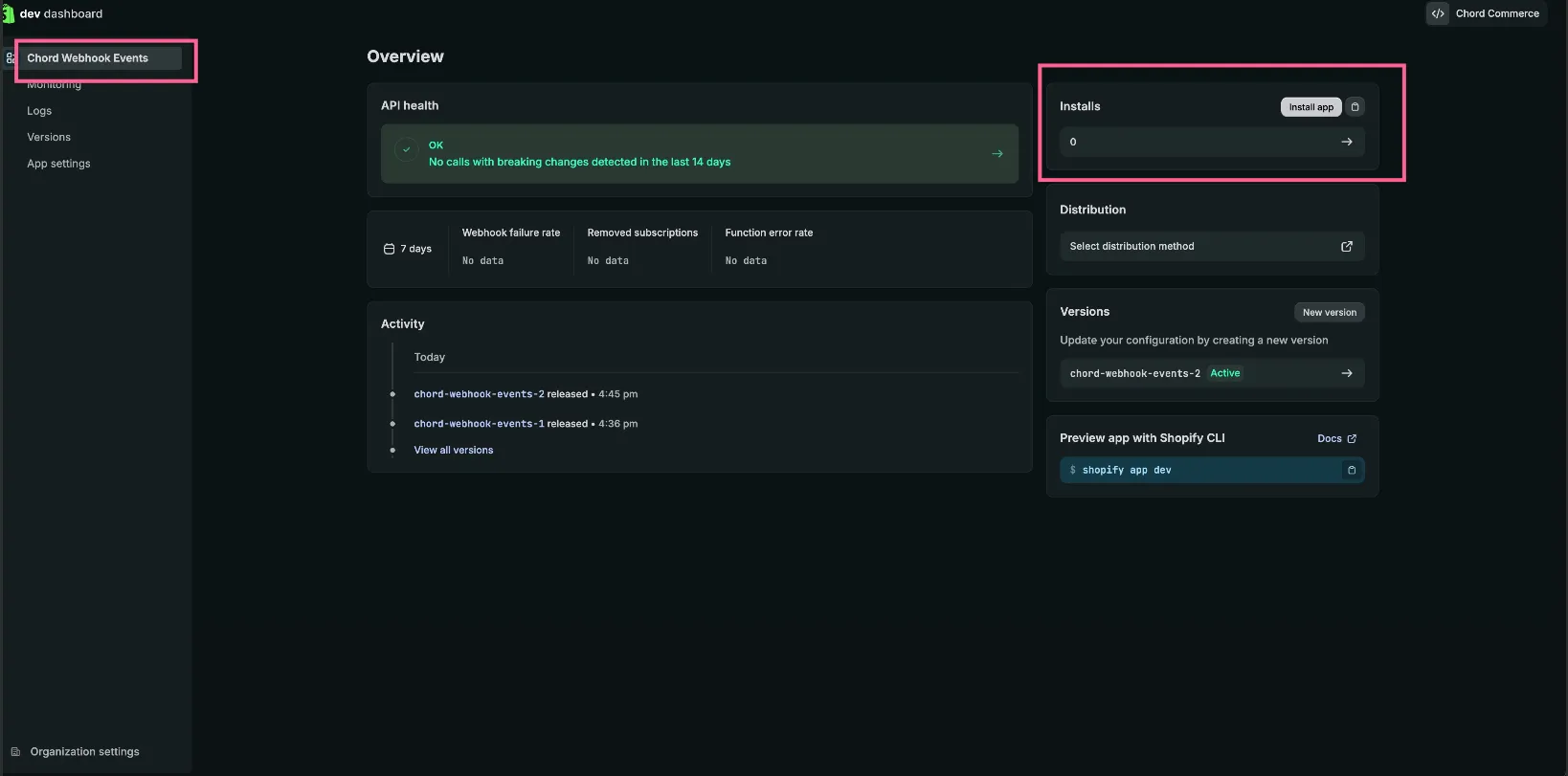
- Select your store
- Review the application scopes
- Click Install
Step 4: Store/Share Credentials
You can find the client credentials by visiting the app Settings page. You will need both the “Client ID” and “Secret”.
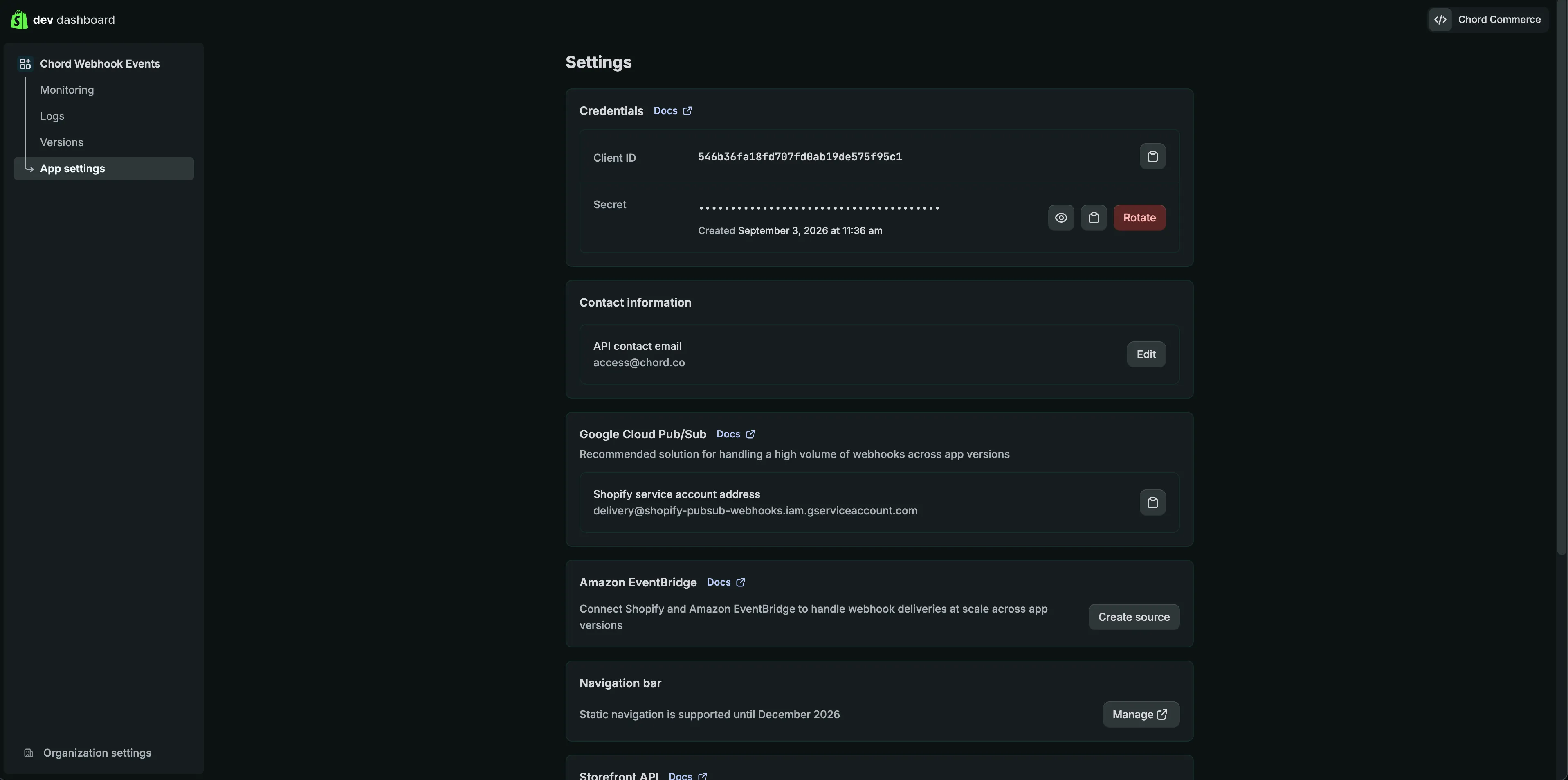
You will also need your store URL in the following format: your-store-url.myshopify.com. You can find your-store-url by visiting the store Admin page. The Admin landing page URL will look similar to the following:
https://admin.shopify.com/store/{{your-store-url}}/orders
The portion of the URL after store, is your store name that you will want to provide.
Step 5: Share your client credentials with Chord team
Your app's Client ID & Secret along with your Store's Shopify subdomain needs to be shared with the Chord team. These values will be used to facilitate either Data Ingestion or the support of server side webhook events. Please reach out to [email protected] if there are any questions.