Chord Webhook Events App
Overview
When installed on your Shopify store, Chord sends tracking events from two sources:
- Your storefront, using either the Chord Shopify web pixel or @chordcommerce/analytics (see Shopify installationShopify installation)
- Chord's server events service, which sends tracking events from a Shopify webhook source in your Chord workspace in response to webhook triggers from Shopify
When Chord provisions your workspace, it includes a Shopify webhook source/back-end in the Chord CDP. This source listens for webhook events from Shopify and transforms them into Chord events.
Step 1: Create the App
- Go to your Shopify Dev Dashboard
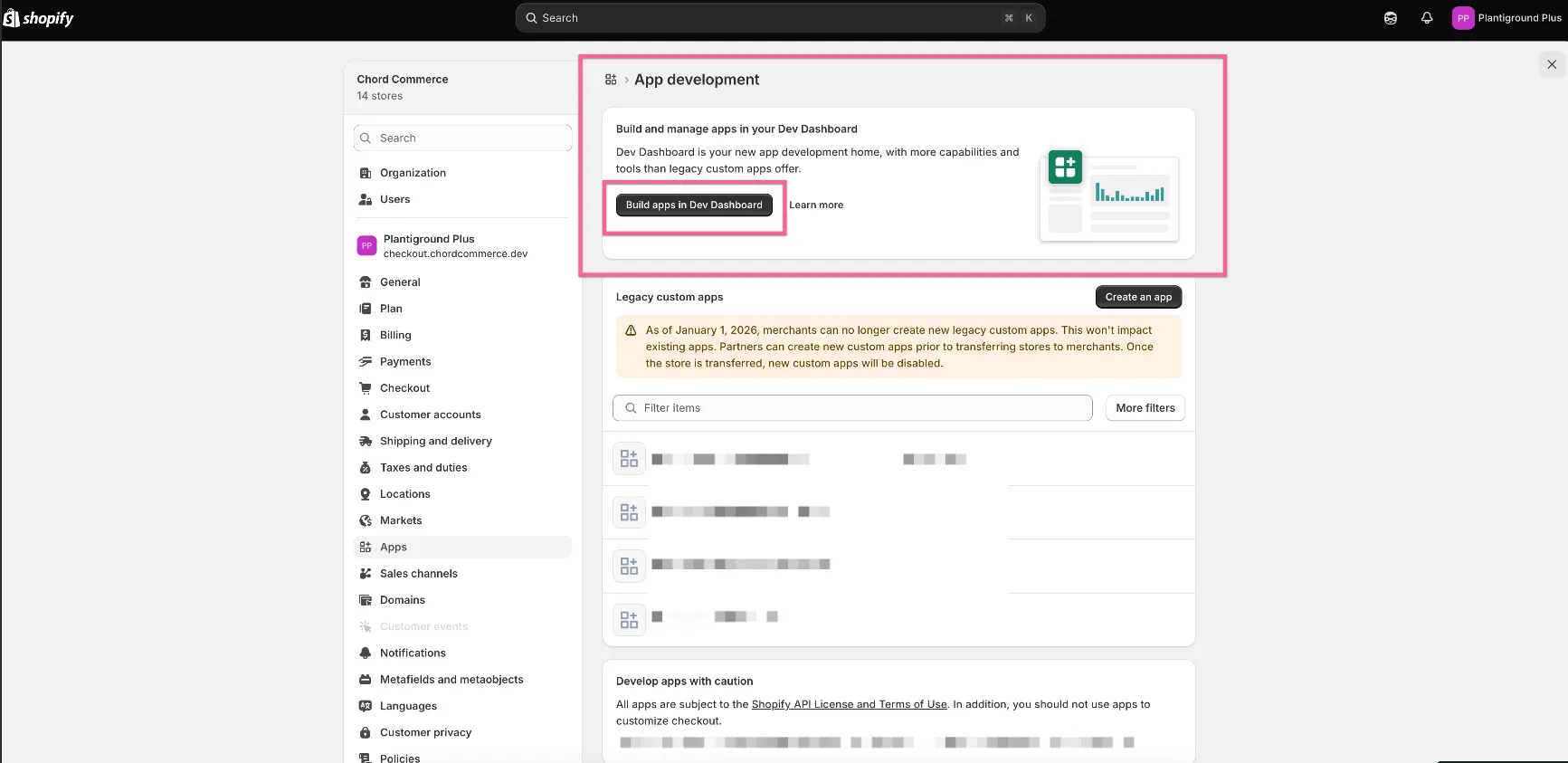
- In the navigation menu, click Apps → Create app
- Under Start from Dev Dashboard, enter the app name Chord Webhook Events
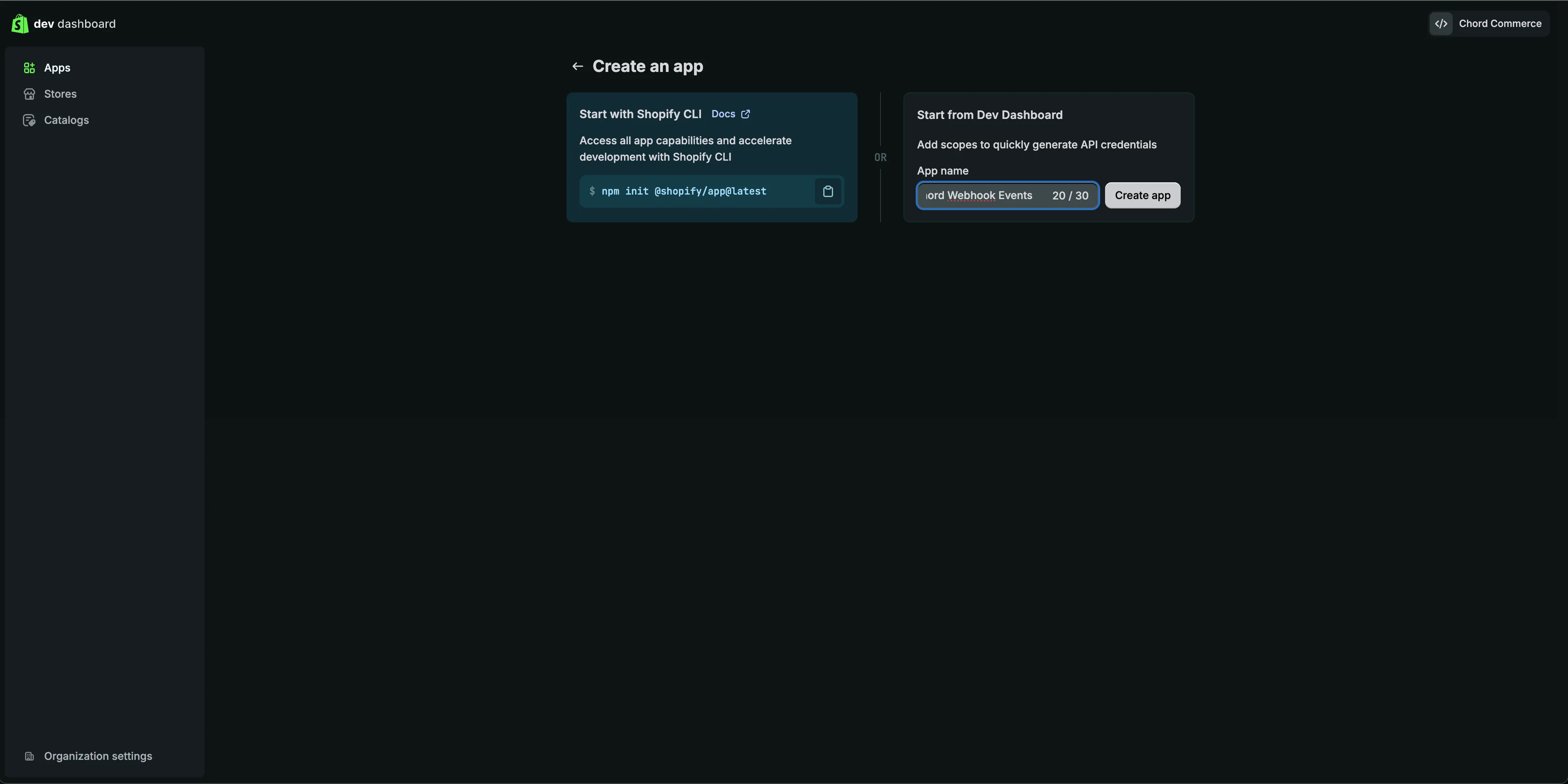
- Click Create
Step 2: Configure Access Scopes
- Leave the form settings as-is
- In the API Access section, paste the following scopes:
- Click Release
Step 3: Install the App
- On the app Home page, click Install app
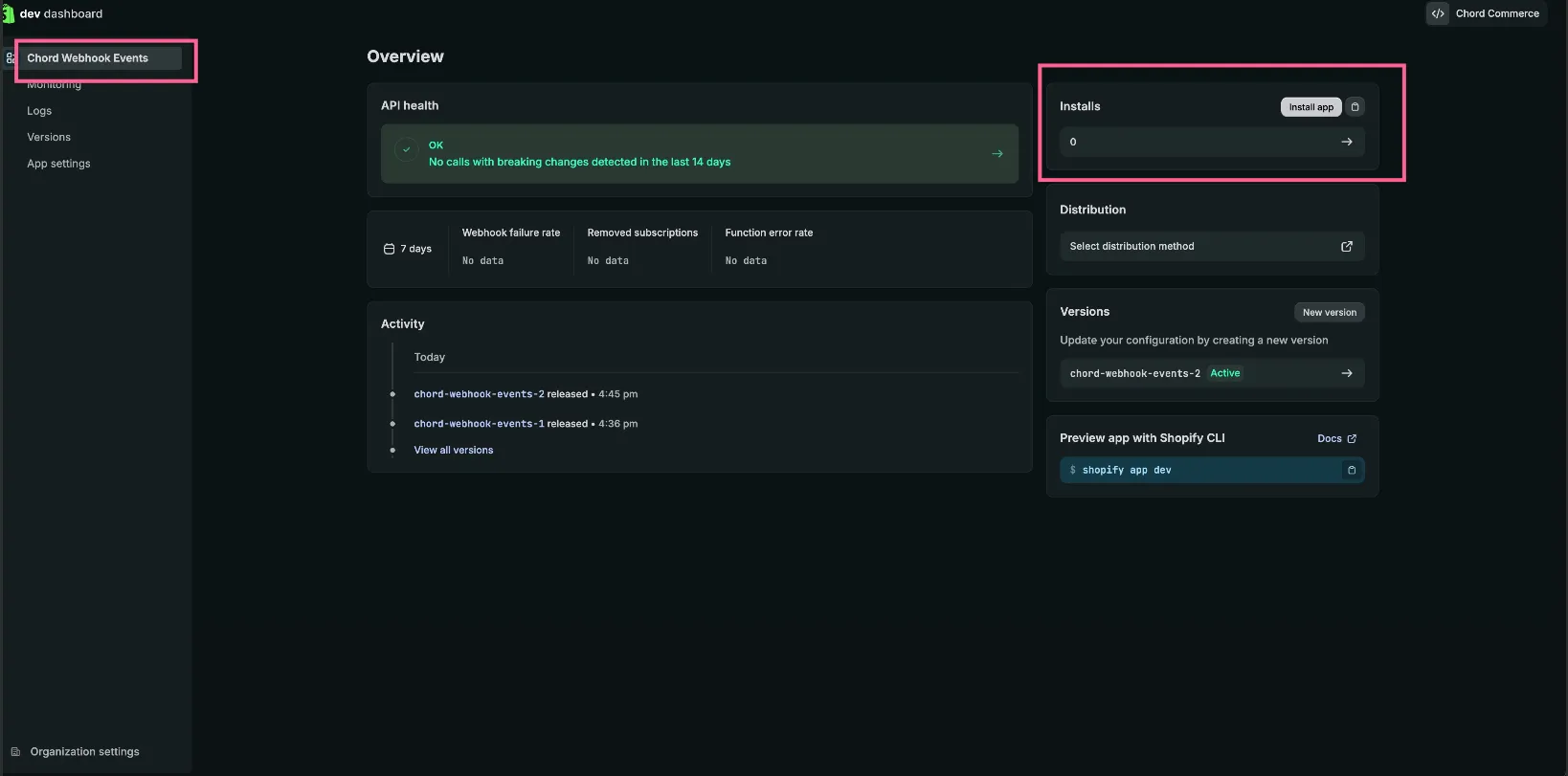
- Select your store
- Review the application scopes
- Click Install
Step 4: Collect your Credentials
You can find the client credentials by visiting the app Settings page. You will need both the “Client ID” and “Secret”.
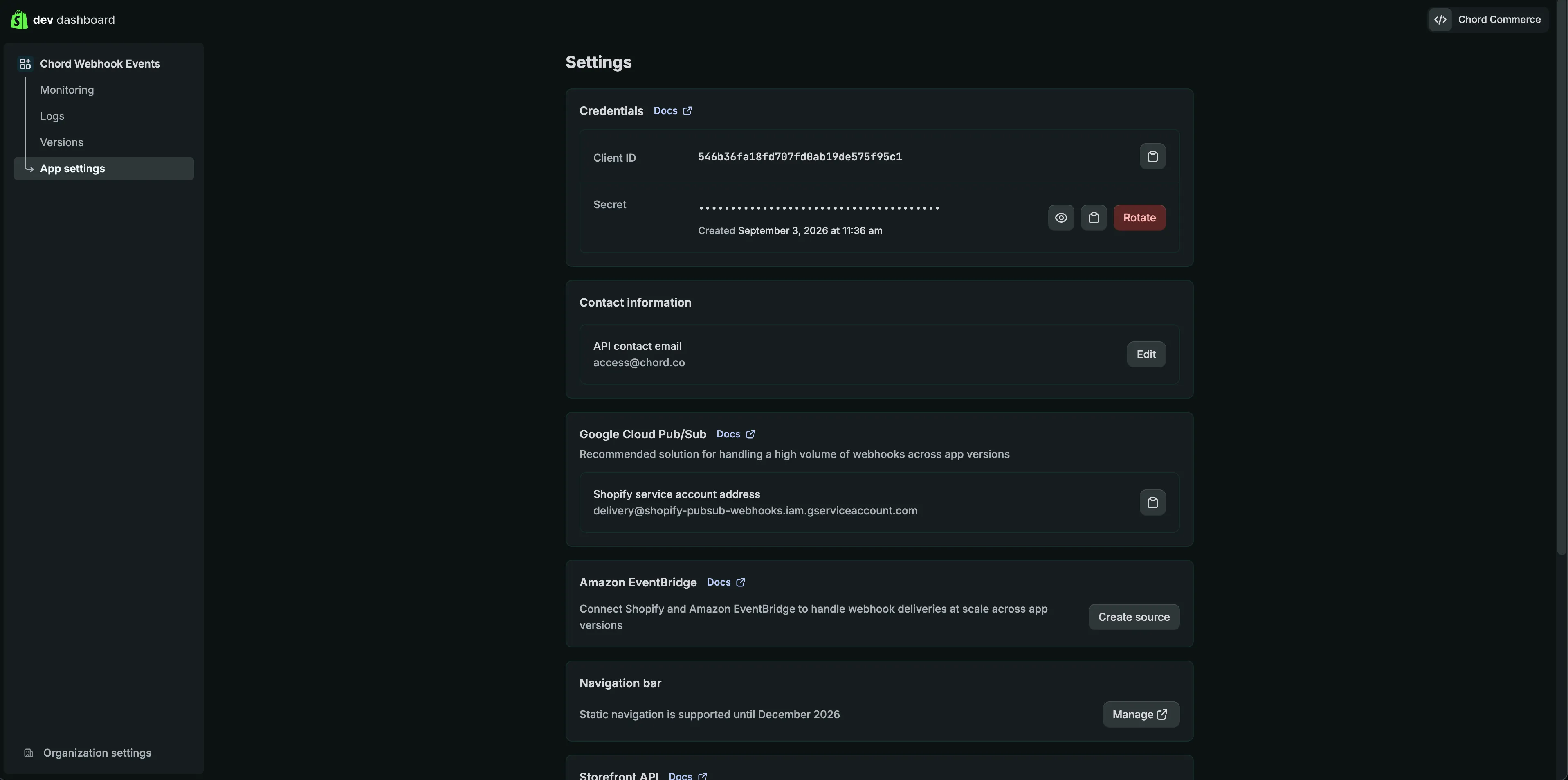
You will also need your store URL in the following format: your-store-url.myshopify.com. You can find your-store-url by visiting the store Admin page. The Admin landing page URL will look similar to the following:
The portion of the URL after store, is your store name that you will want to provide.
Step 5: Share your client credentials with Chord team
Your app's Client ID & Secret along with your Store's Shopify subdomain needs to be shared with the Chord team. These values will be used to finalize the creation & set-up of server-side events fired from Shopify back-end
Additional Info
Supported Webhook Topics & Events
Webhook Topic | Chord Event |
|---|---|
checkouts/create | Checkout Created |
orders/create | Order Completed |
refunds/create | Order Refunded |
customers/delete | Customer Deleted |
customers/merge | Customer Merged |
locations/delete | Location Deleted |
orders/delete | Order Deleted |
products/delete | Product Deleted |
Verifying the Installation
To verify that server events are flowing correctly:
- Complete a test transaction in your Shopify store.
- In your Chord workspace, navigate to the Shopify webhook source (possibly referenced as the Back-End source) and open the Live Events tab.
- Confirm that the expected events (Checkout Created, Order Completed, etc.) appear.
Subscription Events
If your store sells subscriptions, Chord can also track subscription lifecycle events (creation, cancellation, payment failures, etc.). Due to Shopify platform restrictions, subscription events require a different setup using Shopify Flow.
See Shopify subscription event trackingevent tracking for details.
Associating Server Events with Storefront Sessions
To link server events with front-end storefront events from the same customer session, the storefront must save certain browser identifiers as attributes on the cart or order. These identifiers are then retrieved by the webhook source and included in Chord events.
For details, see Unifying Data Across Sources.