Understanding Syncs in Chord
Introduction
Syncs power Audience activation in Chord. When you send an Audience to a destination, such as an ESP or ad platform, you create a sync.
This page explains how syncs work and how to manage them.
What is a sync?
A sync connects:
- A Chord Audience
- A destination
- A defined set of mapped fields
It controls how data moves from Chord to your external platform.
A sync does not change your underlying Audience logic. It only controls how that Audience is delivered.
What you configure in a sync
When setting up a sync, you define:
1. Destination
Where the Audience is sent.
2. Field mappings
How Chord fields match destination fields.
Clear mapping ensures the destination platform receives data in the correct structure.
3. Sync behavior Depending on the destination, you may configure:
- Full refresh vs. incremental updates
- List additions or removals
- Record update behavior
Viewing sync history
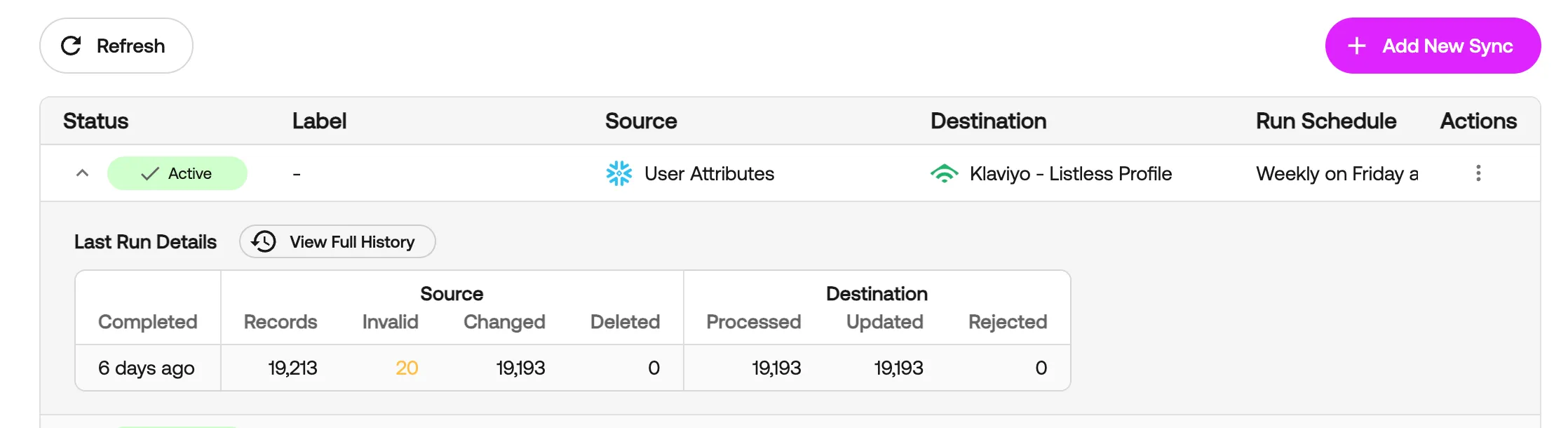
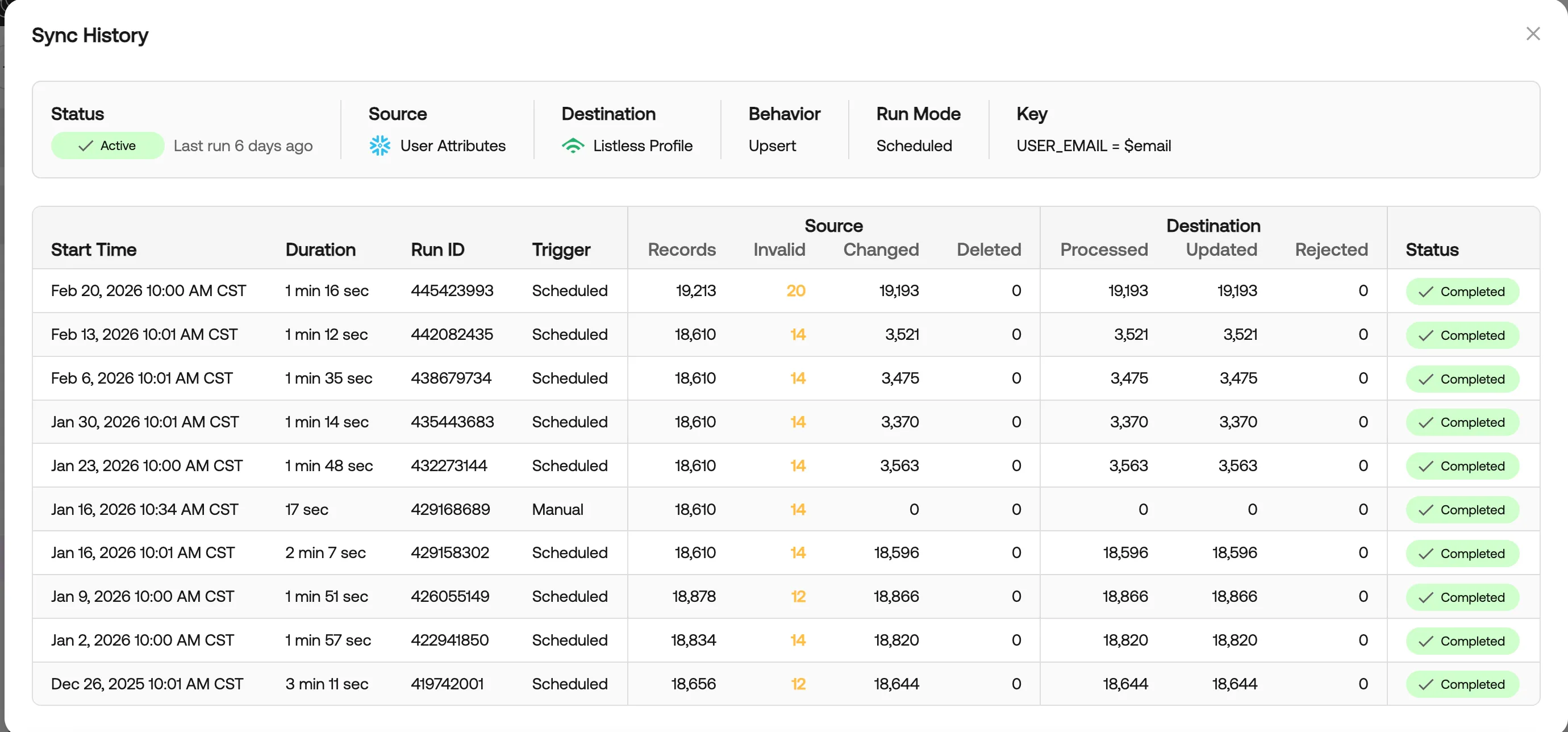
Each sync includes a history of past runs.
You can review:
- Last run details
- Source details
- Destination details
- Full sync history
If a sync fails, start by reviewing the error details in the run history. Most issues relate to:
- Missing required fields
- Invalid mappings
- Destination-side validation rules
Editing a sync
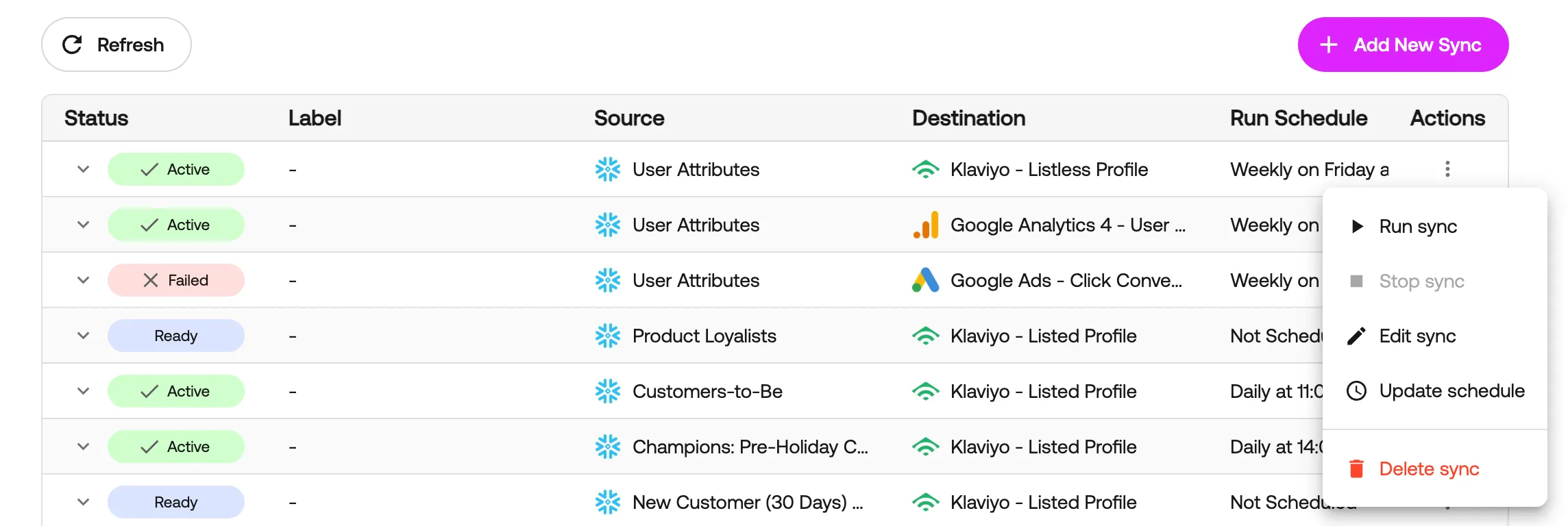
To edit a sync:
- Navigate to Data Activations.
- Click on Manage Syncs.
- Select the specific sync you wish to edit.
- Click on the three veritcal dots icon in the Actions column.
- Click Edit sync.
You can also Manage Syncs via the Audience Destinations tab on the Audiences page.
All settings are available in one structured modal.
Changes apply to future runs. Historical runs remain unchanged.
Deleting a sync
Deleting a sync:
- Stops future data updates
- Does not delete historical records in the destination platform
- Does not delete the underlying Audience
To delete a sync:
- Navigate to Data Activations.
- Click on Manage Syncs.
- Select the specific sync you wish to delete.
- Click on the three veritcal dots icon in the Actions column.
- Click Delete sync.
You can also Delete Syncs via the Audience Destinations tab on the Audiences page.
Best practices
- Confirm required destination fields before mapping.
- Review sync history after your first run.
- Keep field naming consistent across platforms.
- Test new syncs before launching time-sensitive campaigns.